

Description
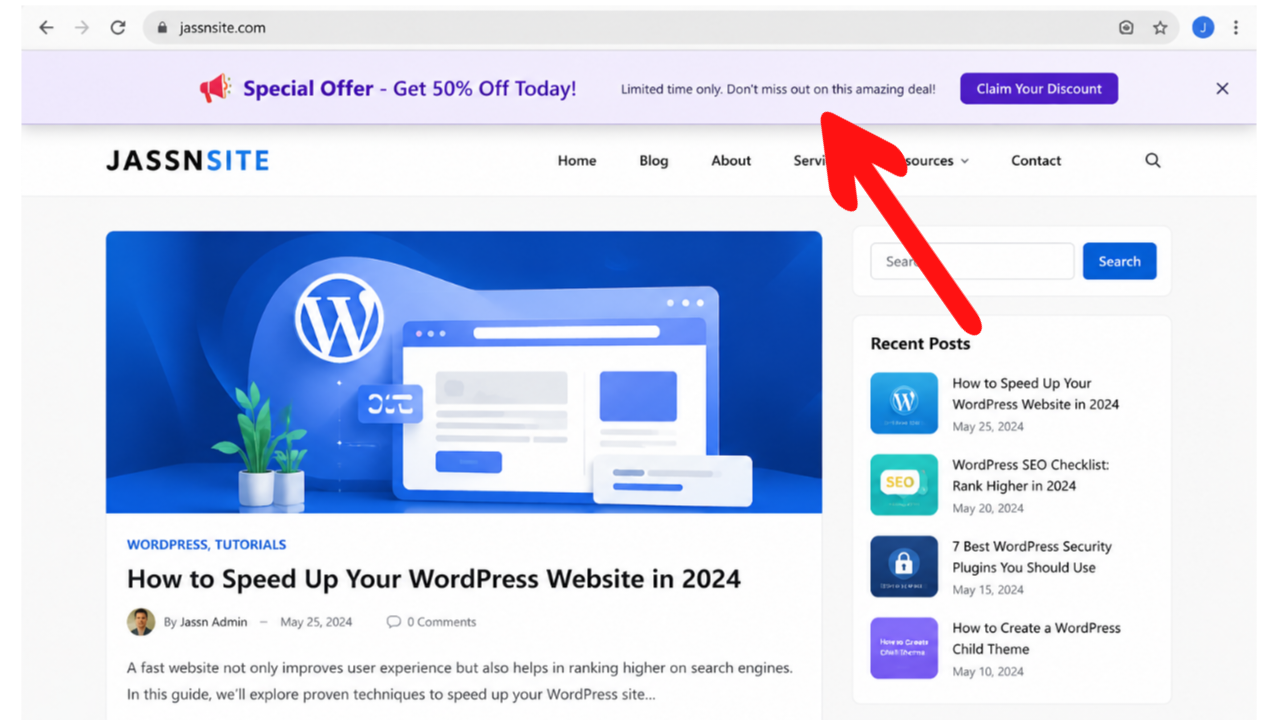
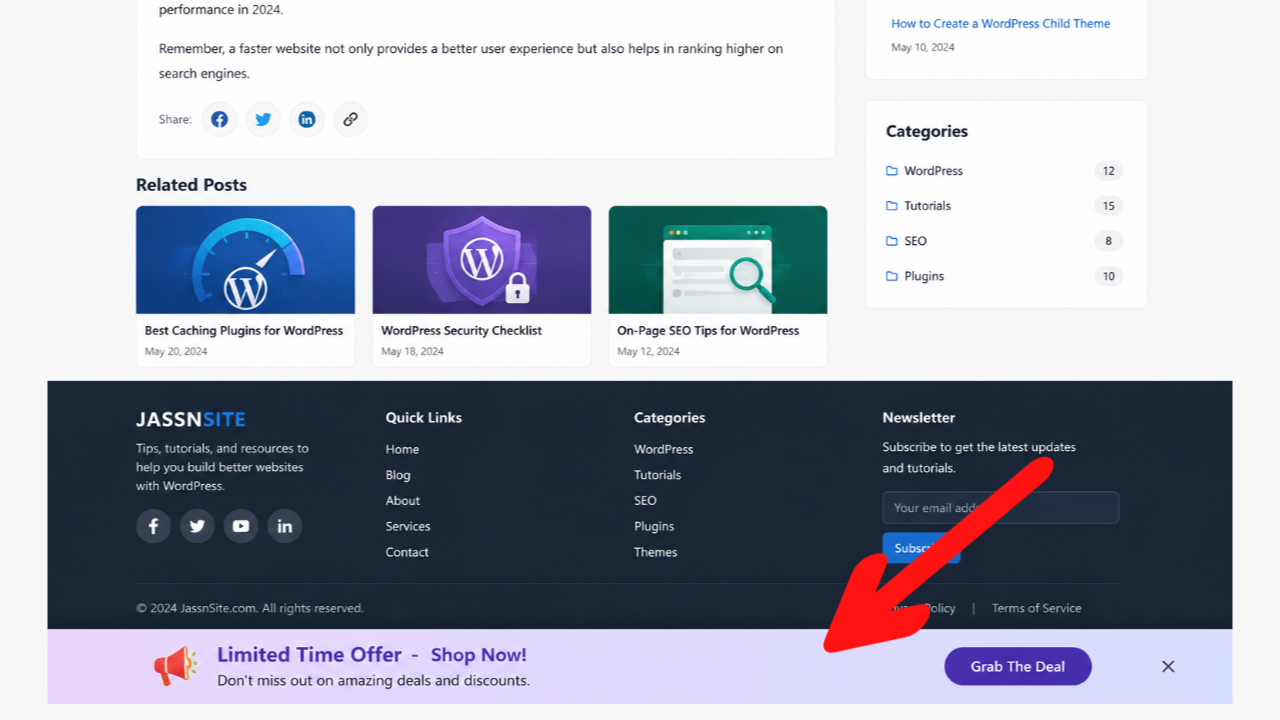
Jassn Floating Ad Bars is a lightweight and easy-to-use WordPress plugin that allows you to display fixed/floating advertisements at the top and bottom of your website. Perfect for Google AdSense, affiliate banners, or custom HTML ads.
Key Features
- ✅ Display floating ad bars at top and bottom of pages
- ✅ Transparent background by default
- ✅ Close button for users to dismiss ads
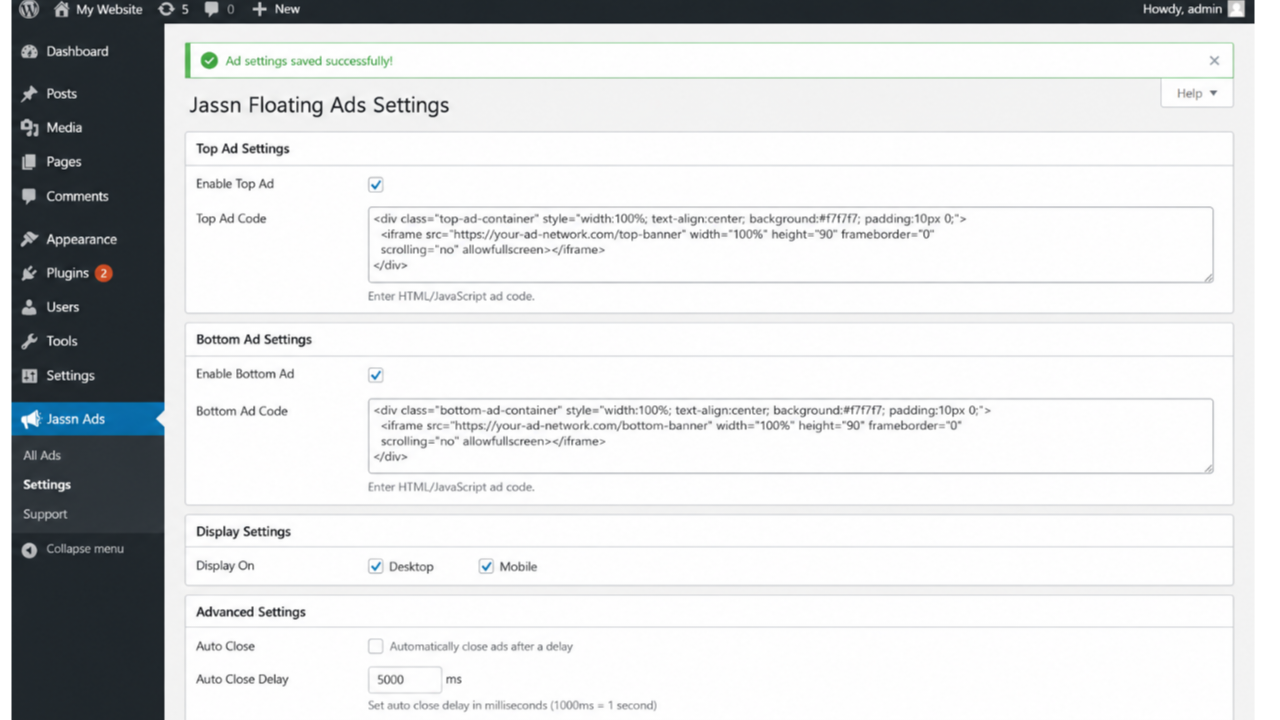
- ✅ Auto-close option with configurable timer
- ✅ Shortcode support for manual placement
- ✅ Works with any ad code (Google AdSense, custom HTML, JavaScript)
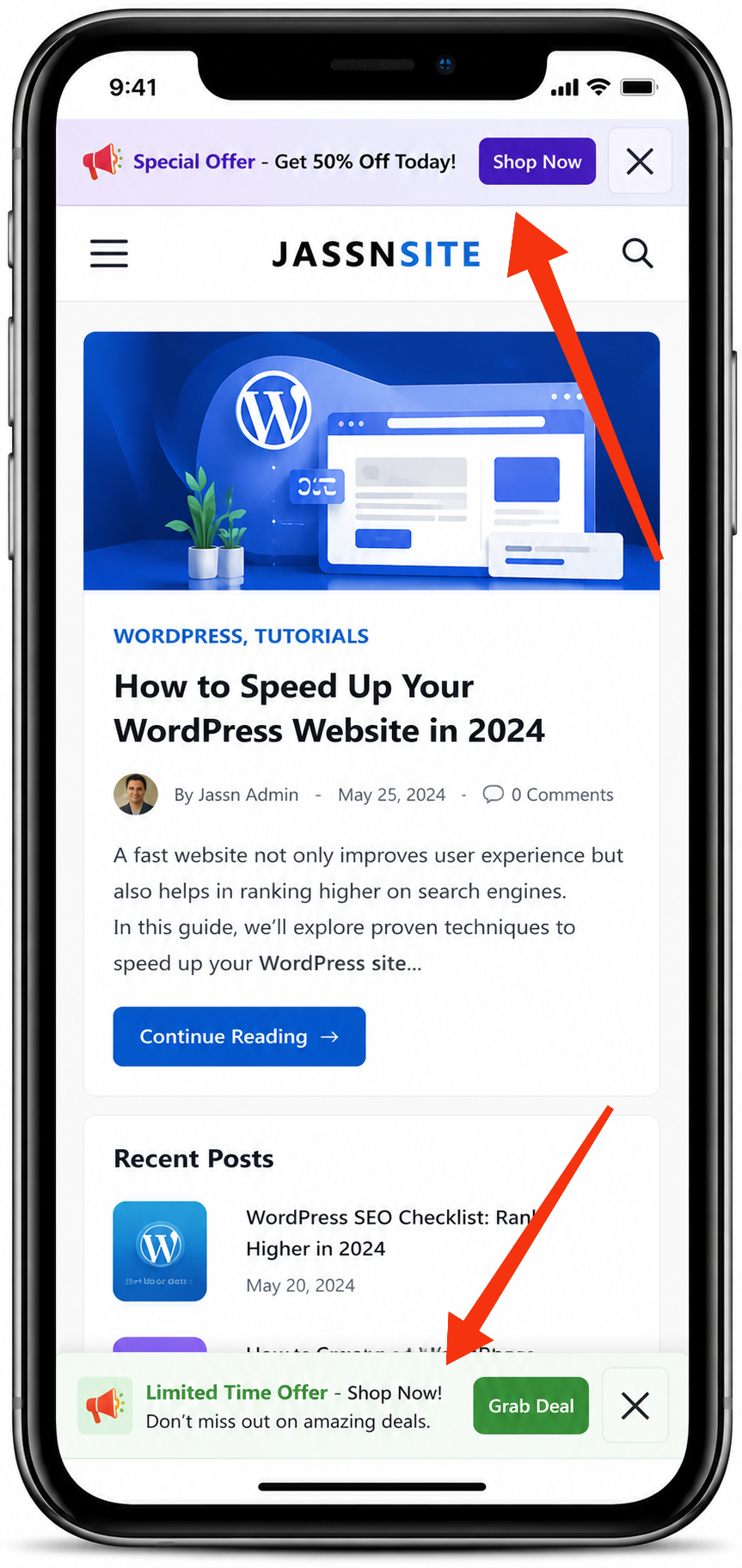
- ✅ Responsive design for all devices
- ✅ Lightweight and performance optimized
- ✅ No coding required – easy to use admin interface
- ✅ Device-specific display (desktop/mobile)
Use Cases
- Google AdSense sticky banners
- Affiliate marketing banners
- Promotional announcements
- Newsletter signup popups
- Cookie consent banners
- Emergency notifications
- Special offers and discounts
Shortcodes
You can also display ads anywhere using shortcodes:
[jassn_top_ad] - Display top floating ad
[jassn_bottom_ad] - Display bottom floating ad
Why Choose Jassn Floating Ad Bars?
- Simple Setup: Just paste your ad code and you’re done
- Performance: Minimal impact on page load times
- User-Friendly: Close button allows users to dismiss ads
- Flexible: Works with any ad network or custom code
- Responsive: Looks great on all devices
Support
If you need help with the plugin, please visit the WordPress.org support forum:
https://wordpress.org/support/plugin/jassn-floating-ad-bars/
Credits
Developed by Jaswant Singh
License
This plugin is licensed under GPL v2 or later.
Screenshots
Installation
Automatic Installation
- Go to Plugins > Add New in your WordPress admin
- Search for “Jassn Floating Ad Bars”
- Click “Install Now” and then “Activate”
- Go to ‘Jassn Ads’ menu in the WordPress admin
- Enter your ad codes and configure settings
- Save changes and visit your website to see the ads
Manual Installation
- Upload the
jassn-floating-ad-barsfolder to the/wp-content/plugins/directory - Activate the plugin through the ‘Plugins’ menu in WordPress
- Go to ‘Jassn Ads’ menu in the WordPress admin
- Enter your ad codes and configure settings
- Save changes and visit your website to see the ads
FAQ
-
Does this plugin work with Google AdSense?
-
Yes! Simply copy your Google AdSense ad code and paste it into the ad code fields in the settings.
-
Can I use multiple ads?
-
Yes, you can have both top and bottom floating ad bars active simultaneously.
-
Will the ads affect my site’s performance?
-
No, the plugin is lightweight and adds minimal overhead. It only loads the ad code when necessary.
-
Can users close the ads?
-
Yes, each ad has a close button that users can click to dismiss the ad.
-
Is the plugin responsive?
-
Yes, the plugin is fully responsive and works on all devices including mobile phones and tablets.
-
Can I use HTML in the ad code?
-
Yes, you can use any HTML, JavaScript, or CSS in the ad code fields.
-
Does it work with page builders?
-
Yes, it works with all page builders including Elementor, Gutenberg, WPBakery, and Divi.
-
Can I show ads only on specific devices?
-
Yes, you can enable/disable ads for desktop and mobile devices separately in the settings.
-
What if I want to place ads manually?
-
You can use the shortcodes
[jassn_top_ad]and[jassn_bottom_ad]anywhere on your site.
Reviews
There are no reviews for this plugin.
Contributors & Developers
“Jassn Floating Ad Bars” is open source software. The following people have contributed to this plugin.
Contributors
Translate “Jassn Floating Ad Bars” into your language.
Interested in development?
Browse the code, check out the SVN repository, or subscribe to the development log by RSS.
Changelog
1.0.0
- Initial release
- Added top and bottom floating ad bars
- Added close button functionality
- Added auto-close option
- Added shortcode support
- Added admin settings page
- Added responsive design
- Added transparent background
- Added device-specific display options
- Added proper uninstall cleanup