

Description
Smooth SMTP gives you full control over how WordPress sends email. Configure SMTP as your primary sending method, set up a fallback for when things go wrong, get notified through your preferred channels, and keep a detailed log of every email your site sends.
Primary Sending Method (SMTP)
Configure any SMTP provider as your primary sending method. If you leave SMTP disabled, WordPress will continue using its default PHP mail — either way, all other features still work.
- Works with any SMTP provider: Gmail, SendGrid, Amazon SES, Mailgun, and more
- Configurable host, port, encryption (SSL/TLS), username, password, from email, and from name
- Secure credential storage using WordPress’s built-in options API
Fallback Sending Method
If the primary sending method fails, Smooth SMTP can automatically retry using a fallback. This works regardless of whether you’re using SMTP or WordPress’s default PHP mail as your primary.
- Fallback to WordPress Default (PHP mail) or a second SMTP server
- Full credential configuration for the fallback SMTP
- Logged separately so you can see exactly which method delivered each email
Failure Alert Channels
Get notified the moment an email fails — through the channels your team already uses.
- Slack, Discord
- Telegram (via Bot API — requires bot token and chat ID)
- WhatsApp (via CallMeBot webhook)
- SMS or any custom webhook endpoint
- Add multiple channels, enable/disable each independently
- Send Test Alert button per channel
- Alerts are throttled to at most one per 60 seconds to avoid flooding
Email Summary Reports
Receive a periodic HTML email summarising your site’s email activity.
- Hourly, daily, weekly, or monthly schedule
- Total sent and failed counts, breakdown by sending method, and recent failures
- Configurable recipient address
- Send Summary Now button for an instant preview
Email Logging
Every email your site sends is logged with full detail.
- Status (success / failed), sender, recipients, subject, message body
- Sent Via column showing which method delivered the email (Primary SMTP, Fallback SMTP, Fallback WordPress Default, etc.)
- Search, filter, and paginate logs from the admin dashboard
- View full email detail in a modal
- Bulk delete, bulk resend, and delete-all options
- Admin dashboard notice when the most recent email failed
Dashboard
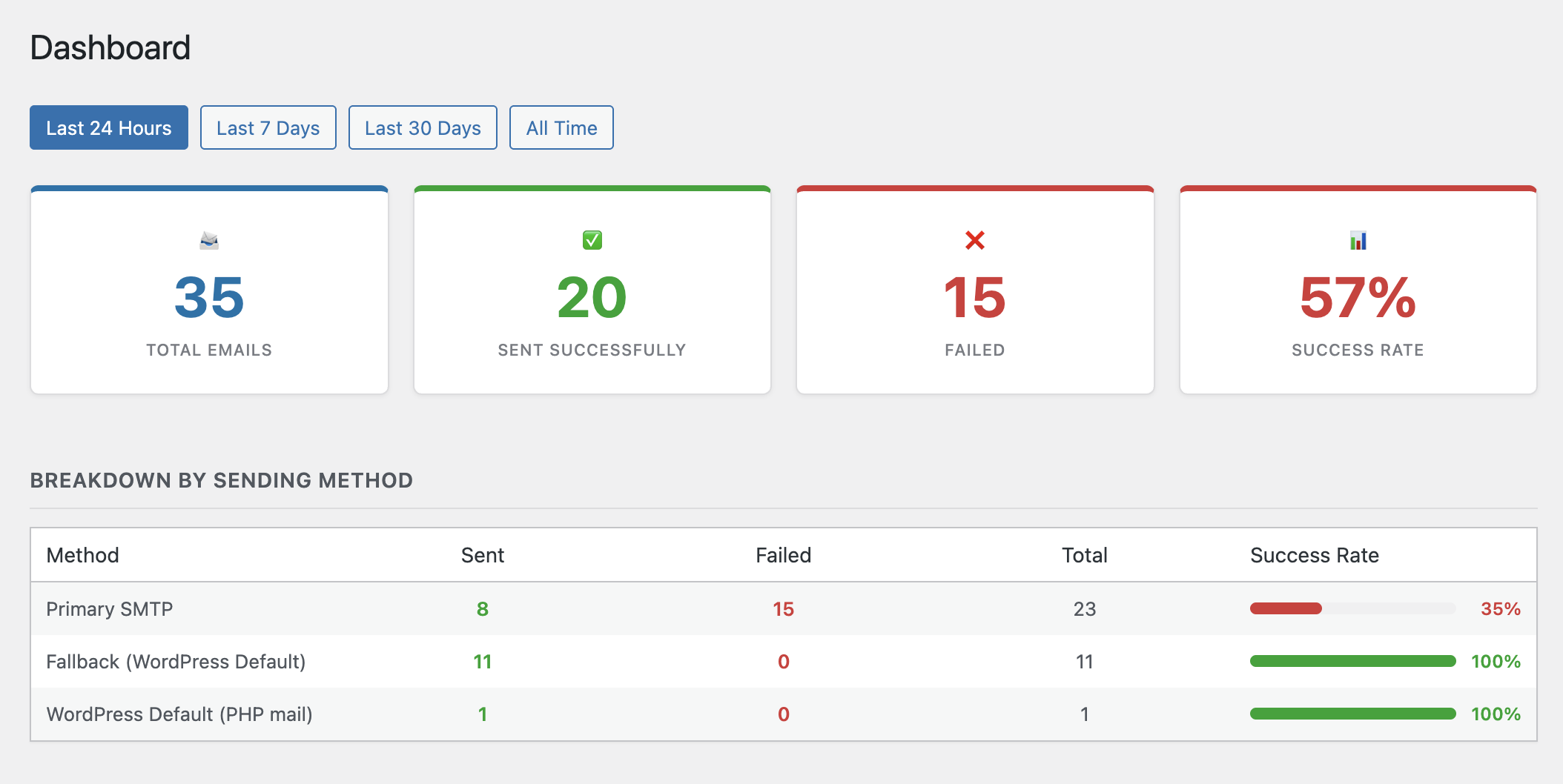
A at-a-glance overview of your site’s email activity.
- Total sent, failed, and success rate stat cards
- Breakdown by sending method with progress bars
- Recent failures table
- Filter by day, week, month, or all time
Test Email
Send a test email at any time to verify your configuration.
- Choose which sending method to test — primary or fallback — independently
- Send plain text or HTML test emails
- Specify any recipient address
- Always available regardless of whether SMTP is configured
Other
- One-click import of email logs from Post SMTP
- Option to keep logs and settings when the plugin is deleted
- Compatible with Post SMTP and WP Mail SMTP (Smooth SMTP acts as a fallback when another SMTP plugin is detected)
Privacy Policy
This plugin logs email metadata including sender address, recipient addresses, subject line, message body, and sending status. SMTP credentials are stored in your WordPress database. No data is transmitted to external services except through the alert channels and SMTP servers you explicitly configure.
Screenshots
screenshot-1 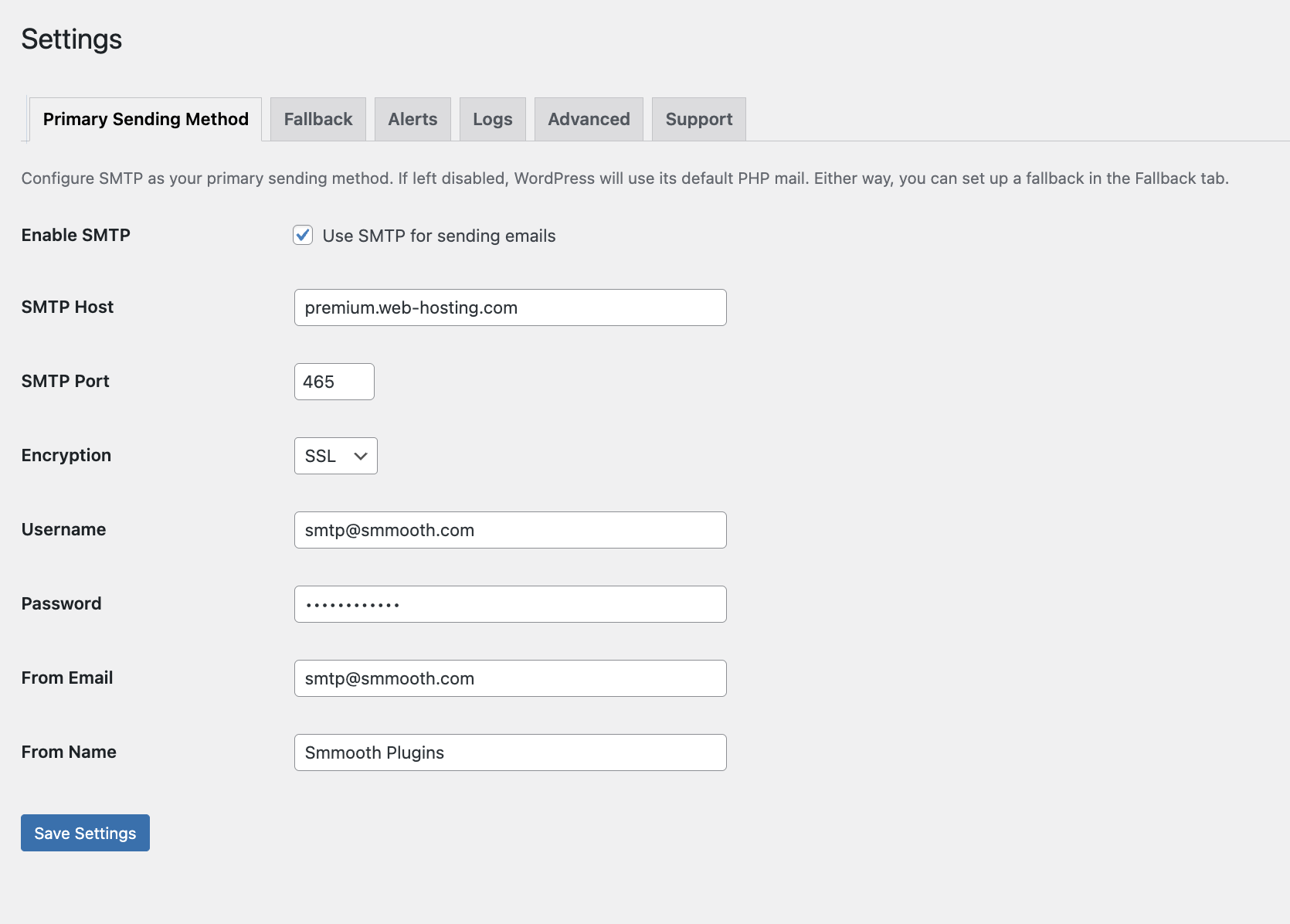
screenshot-2 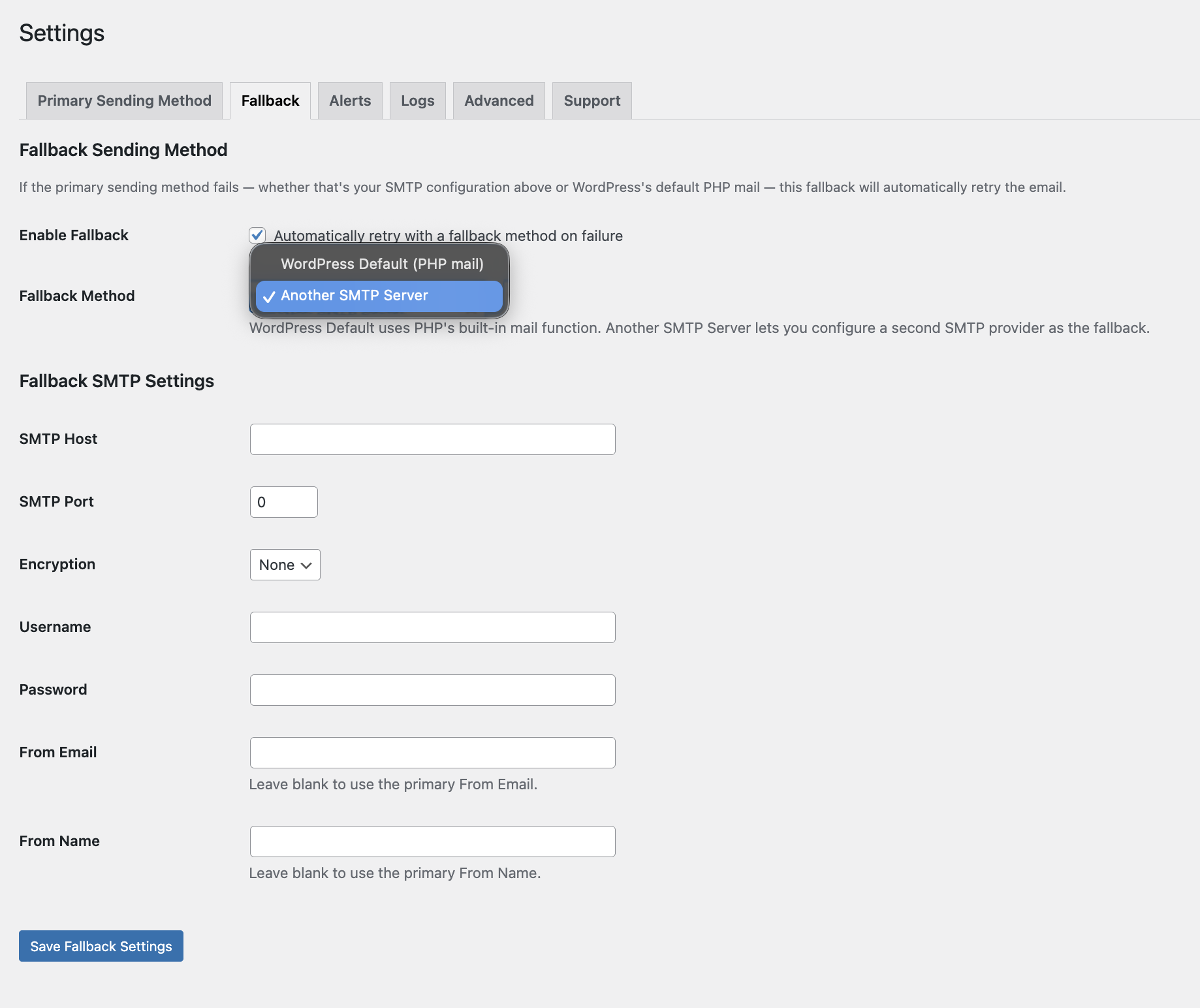
screenshot-3 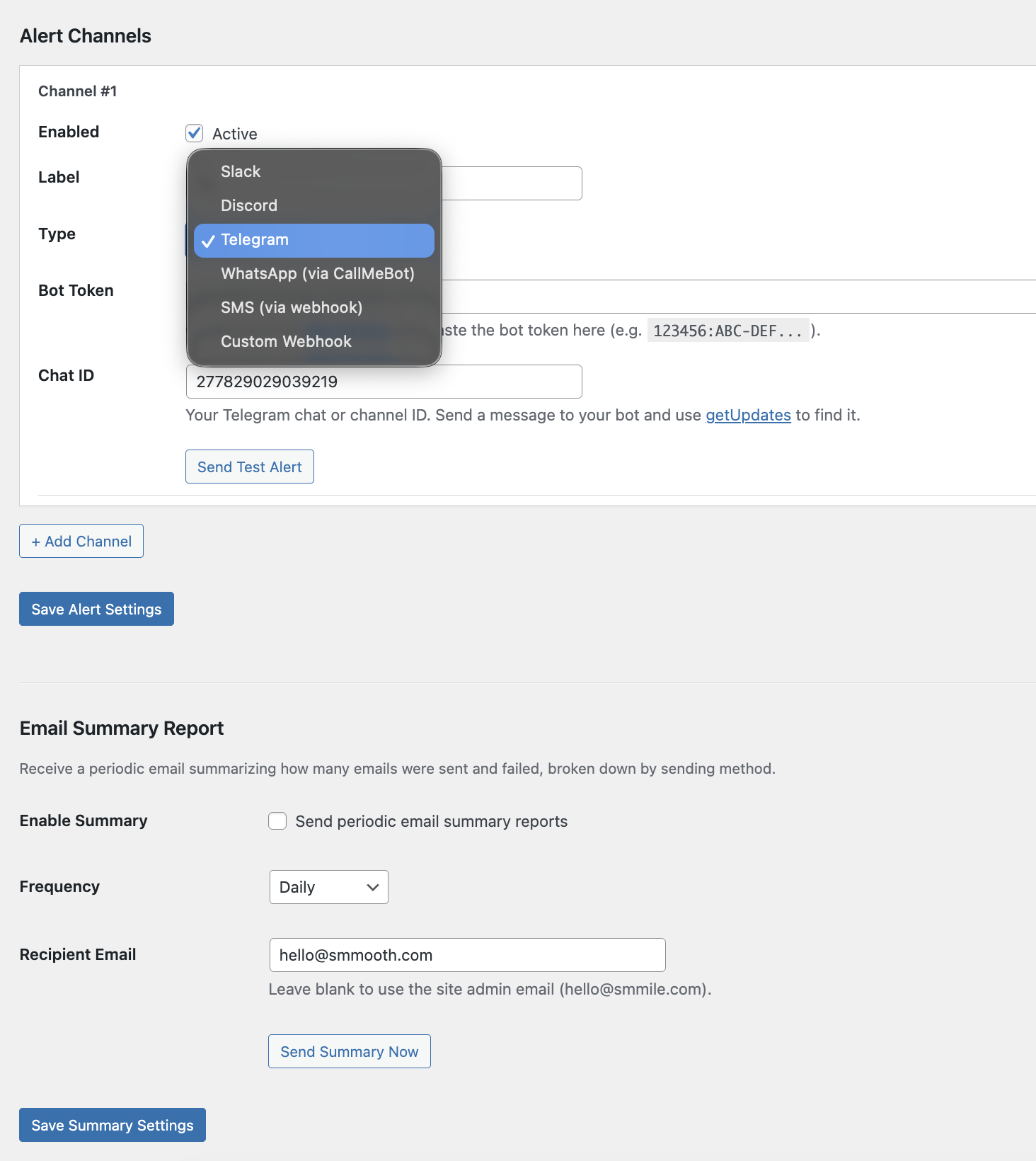
screenshot-4 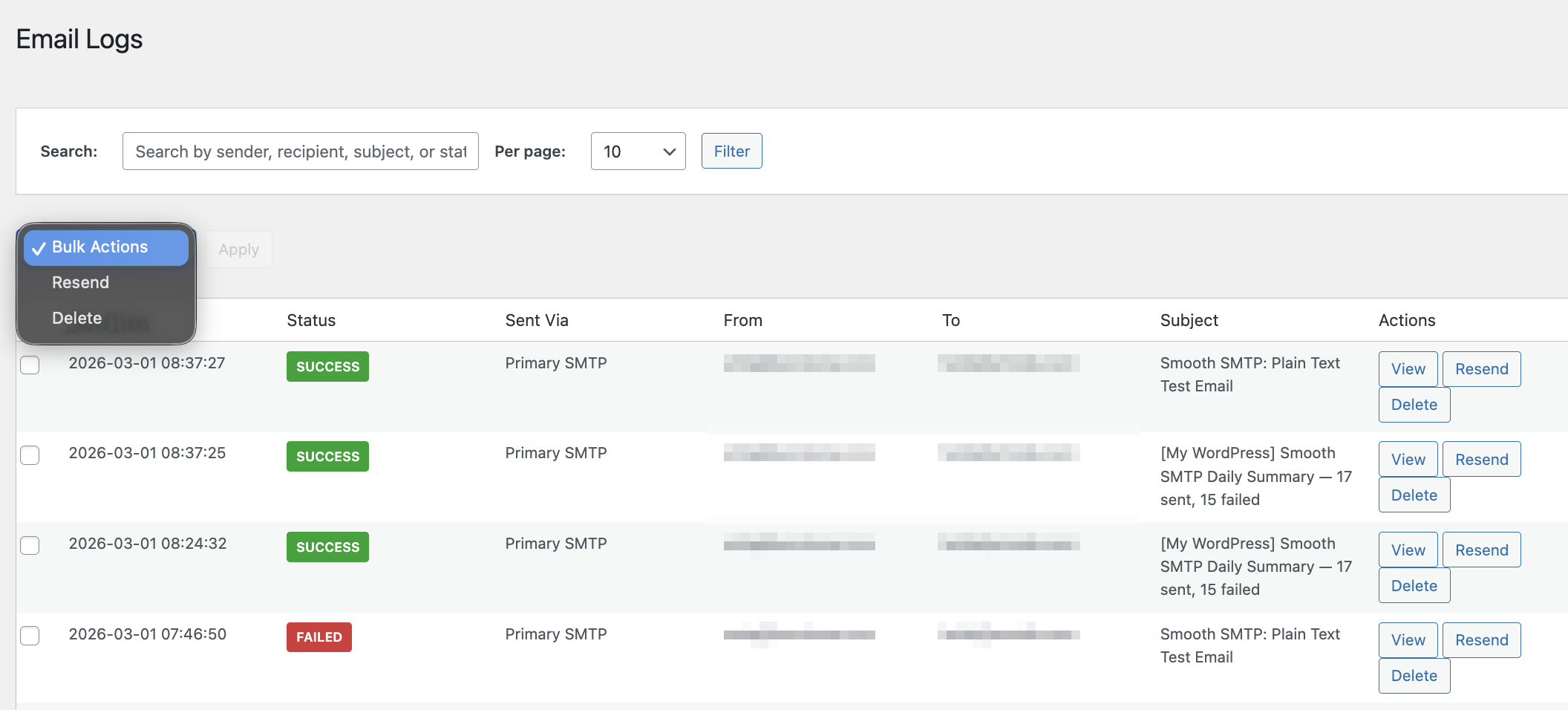
screenshot-5 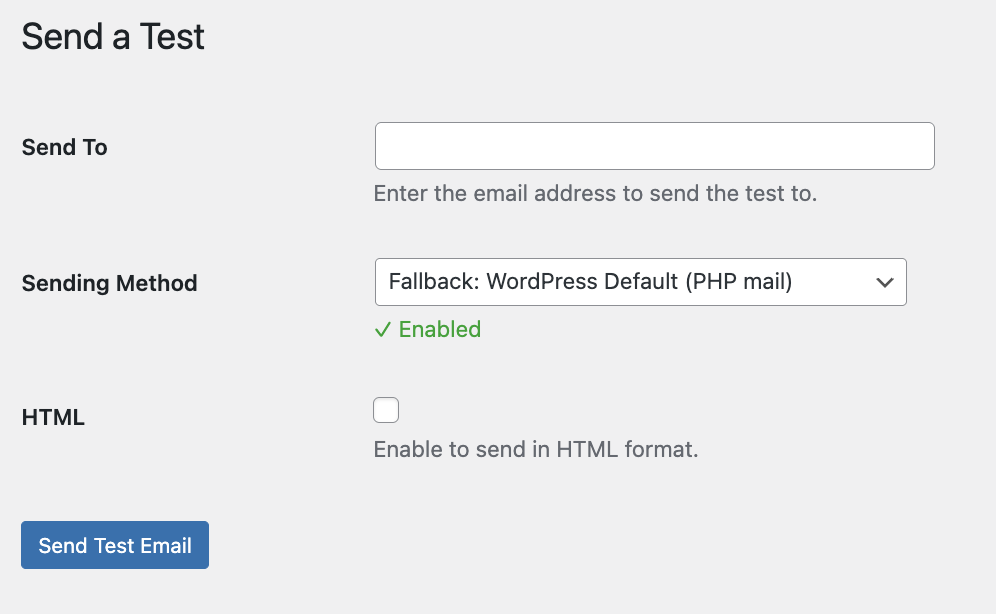
screenshot-6
Installation
- Upload the plugin files to the
/wp-content/plugins/directory, or install through the WordPress plugins screen directly. - Activate the plugin through the Plugins screen in WordPress.
- Go to Settings Smooth SMTP to configure.
- Set up your SMTP credentials under the SMTP tab, or leave it disabled to use WordPress’s default PHP mail.
- Optionally configure a fallback method under the Fallback tab.
- Optionally configure failure alert channels and summary reports under the Alerts tab.
FAQ
-
Do I need to enable SMTP for the plugin to be useful?
-
No. Even with SMTP disabled, Smooth SMTP will log all emails, fire failure alerts, send summary reports, and trigger the fallback method if sending fails.
-
Which SMTP providers are supported?
-
Any provider that supports standard SMTP — Gmail, SendGrid, Amazon SES, Mailgun, Postmark, and others.
-
Is my SMTP password stored securely?
-
Yes, credentials are stored using WordPress’s built-in options API. We recommend using an app-specific password where your provider supports it.
-
How does the fallback work?
-
When any sending method fires
wp_mail_failed, Smooth SMTP catches it and retries using your configured fallback (WordPress Default or a second SMTP server). The result is logged with a note indicating the primary failed and the fallback was used. -
How do I set up Telegram alerts?
-
Create a bot via @BotFather on Telegram, copy the bot token, and paste it into the Bot Token field. Then get your chat ID (send a message to your bot and call the getUpdates API endpoint), and paste it into the Chat ID field.
-
How do I set up WhatsApp alerts?
-
Register your WhatsApp number with CallMeBot (callmebot.com) and use the API URL they provide as the webhook URL for a WhatsApp channel.
-
Can I import logs from another plugin?
-
Yes, Post SMTP log import is supported. Go to Settings Logs and use the Import button. Existing logs are not duplicated.
-
Can I keep my data if I uninstall the plugin?
-
Yes. Enable “Keep Data on Uninstall” under Settings Advanced before deleting the plugin.
Reviews


Contributors & Developers
“Smooth SMTP” is open source software. The following people have contributed to this plugin.
Contributors

Translate “Smooth SMTP” into your language.
Interested in development?
Browse the code, check out the SVN repository, or subscribe to the development log by RSS.
Changelog
1.1.6
- New: Dashboard page — stat cards (total, sent, failed, success rate), breakdown by sending method, recent failures table, and day/week/month/all-time filter.
- New: Fallback sending method — automatically retries failed emails using WordPress Default (PHP mail) or a second SMTP server. Works regardless of whether primary SMTP is enabled.
- New: Failure alert channels — Slack, Discord, Telegram (Bot API), WhatsApp (CallMeBot), SMS, and custom webhooks. Supports multiple channels with per-channel enable/disable and a Send Test Alert button.
- New: Bulk resend — select multiple log entries and resend them in one action from the Email Logs screen.
- New: Test Email method selector — test the primary and fallback sending methods independently, always available regardless of SMTP configuration.
- New: Sent Via tracking — every logged email records which sending method was used. Displayed in the logs table and email detail modal.
- New: Email summary reports — periodic HTML email summaries (hourly, daily, weekly, or monthly) with sent/failed counts, breakdown by sending method, and recent failures. Includes a Send Summary Now button.
- Enhancement: Fallback tab copy updated to clarify it works with any primary sending method, not just Smooth SMTP.
- Enhancement: Added plugin deactivation hook to clean up scheduled cron events.
1.1.5
- Update FAQ.
1.1.4
- New: Bulk delete for email logs.
- New: Search filter on the email log dashboard.
- New: Pagination with direct page input and Next/Previous navigation.
- New: One-click import tool for Post SMTP logs.
- New: Delete All Logs option.
- New: Data Retention setting to preserve logs after plugin deletion.
- Enhancement: Color-coded status labels in the logs table.
- Enhancement: Configurable number of log rows displayed.
1.1.3
- If sender name or from email is not set, fall back to WordPress site title and admin email address.
1.1.2
- Commit test email screen.
1.1.1
- Fix versioning.
1.1
- New: Test email feature — send plain text or HTML test emails to any address.
- New: Admin dashboard notice when the most recent email failed to send.
1.0.0
- Initial release — basic SMTP configuration, email logging, and test email.