Title: Sales Countdown Timer
Author: VillaTheme
Published: 30 Luj 2018
Last modified: 06 Marz 2026
---
Search plugins

# Sales Countdown Timer
By [VillaTheme](https://profiles.wordpress.org/villatheme/)
[Download](https://downloads.wordpress.org/plugin/sales-countdown-timer.zip)
* [Details](https://lmo.wordpress.org/plugins/sales-countdown-timer/#description)
* [Reviews](https://lmo.wordpress.org/plugins/sales-countdown-timer/#reviews)
* [Installation](https://lmo.wordpress.org/plugins/sales-countdown-timer/#installation)
* [Development](https://lmo.wordpress.org/plugins/sales-countdown-timer/#developers)
[Support](https://wordpress.org/support/plugin/sales-countdown-timer/)
## Description
WooCommerce countdown timer helps to motivate customers purchasing. Many shop owners
use WooCommerce countdown timer in sale events, promotions to boost sale, improve
sales and revenue. Has your site have WooCommerce countdown timer plugin yet, let’s
find out the WooCommerce countdown timer plugin from VillaTheme.
Sales Countdown Timer is a plugin that allows shop owners to boost the Sales in
the Sale Campaigns. The plugin can display WooCommerce countdown timer any pages
by shortcodes. It is a must-have plugin for encouraging customers to purchase by
creating urgency psychology.
> [Try the Demo](http://new2new.com/?item=sales-countdown-timer) |[Documents](http://docs.villatheme.com/?item=sales-countdown-timer)
> |[Pro Version](https://1.envato.market/962d3) | [Facebook group](https://www.facebook.com/groups/villatheme)
### FEATURES
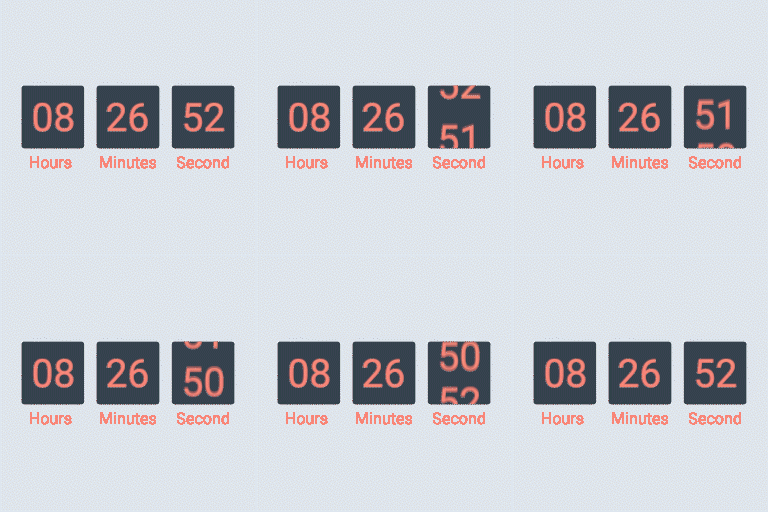
► **WooCommerce Countdown Timer**: The plugin displays sales countdown timers in
single product pages and the shop page of WooCommerce. The clocks will notify customers
when the sales end or how many sale product quantities left. In WooCommerce single
product, you can select Sales Countdown Timer settings and schedule sale campaigns.
* **Select Sales Countdown Timer profile in WooCommerce single product page, variation
products, and select Sales Countdown Timer for bulk products.**
* **Display countdown clock base on WooCommerce sale scheduled time**
* **Select specific sale time**: WooCommerce allows you to schedule sale time by
date. With Sale Countdown Timer you are able to select specific sale time by
hours and minutes.
* **Position in single product pages**: select where the countdown clock will be
displayed in single product pages. There are many options for you to select:
before product price, after product price, before sale flash badges, after sale
flash badges, before “add to cart” button, after “add to cart” button, in the
product picture.
* **Position in archive pages**: select where will the countdown click appear in
archive pages like shop page, categories pages. There are many options for you
to select: before product price, after product price, before sale flash badges,
after sale flash badges, before “add to cart” button, after “add to cart” button,
in the product picture.
* **Display in shop page, categories page, related products**: you have options
to choose display or hide the countdown clock on these pages.
* **Upcoming sale message**: When you schedule a sale campaign in future, you can
choose to display an upcoming sale message in the single product page. The messages
can be customized with a shortcode display how many time left until the sale
time.
* **Sale ends message**: display when will the sale finish message with the shortcode{
countdown_timer}.
* **Shortcode**: the shortcode {countdown_timer} will display the countdown clock.
► **Sale Progress bar – Stock quantity bar**: The plugin displays a progress bar
display how many products are available for the sale campaign, how many products
are sold and how many left.
* **Progress bar message**: Configure the sale progress bar message as you want
with shortcodes.
* **Shortcodes**:
-{quantity_left} – Number of products left
-{quantity_sold} – Number of products sold
-{percentage_left} – Percentage of products left
-{percentage_sold} – Percentage of products sold
-{goal} – The goal that you set on the single product page
* **Progress bar type**: select to display the sale progress as increase or dicrease.
* **Order status**: select what order status that will be counted in the progress
bar.
* **Position**: there are 2 positions for the sale progress bar above the countdown
clock and below the countdown clock.
* **Design**: configure the frontend of the progress bar with options for width,
height, background color, text color and border-radius.
► **Shortcodes Countdown Timer**:The plugin does not require WooCommerce to work.
You can display countdown clocks anywhere by using shortcodes. Settings for Countdown
Timer shortcode are similar with the WooCommerce Countdown Timer, the difference
is that WooCommerce Countdown Timer displays WooCommerce sale time and the Countdown
Timer shortcode display your chosen time.
* **Display countdown timer by shortcodes**.
* **Select countdown time in the plugin backend**.
► **Multiple setting profiles**:The plugin allows you to set up as many Countdown
Timer profiles as you want. Each profile is completely a standalone Sales Countdown
Timer. With each profile, you are able to set up full settings include General settings,
Design settings.
► **Design**:Feel free to design the sales countdown timer to fit with your website
front-end.
* **Time display**: select the time separator style and time format style.
* **Countdown timer clock design**: configure front-end style with text color,
background color, border color, padding, and border-radius.
* **Countdown timer item design**: design the items inside the countdown timer,
such as date item, hour item.
* **Design the time value**: time value includes the time number and unit. Custom
it with font size, text color, and background color.
### PREMIUM FEATURES
All features from the free version.
► **Checkout countdown timer**:
* **Set the checkout countdown timer for a minimum cart total to get a special
offer**.
* **The reset mode will be applied only to Administrators for testing purposes**.
* **Reset checkout countdown for a cart after this time if the customer does not
place the order during checkout countdown**.
* **Give offers before the checkout countdown timer hits zero: Free shipping and/
or discount amount (percentage/fixed amount)**.
* **Integrates options that allow you to change offers when the countdown timer
hits specific values**.
* **Assign pages where the checkout countdown timer shows up**.
* **Design the checkout countdown timer on the checkout page and other assigned
pages**.
► **6 months of support:** with each purchase, you will have 6 months of support
from VillaTheme. Our developers will help if you have any problem with Sales Countdown
Timer.
► [GET PREMIUM VERSION NOW](https://1.envato.market/962d3)
### MAY BE YOU NEED
[9Map – Map Multi Locations](https://wordpress.org/plugins/9map-map-multi-locations/)
[Abandoned Cart Recovery for WooCommerce](https://wordpress.org/plugins/woo-abandoned-cart-recovery/)
[Advanced Product Information for WooCommerce](https://wordpress.org/plugins/woo-advanced-product-information/)
[AFFI – Affiliate Marketing for WooCommerce](https://wordpress.org/plugins/affi-affiliate-marketing-for-woo/)
[ALD – Dropshipping and Fulfillment for AliExpress and WooCommerce](https://wordpress.org/plugins/woo-alidropship/)
[Boost Sales for WooCommerce – Set up Up-Sells & Cross-Sells Popups & Auto Apply Coupon](https://wordpress.org/plugins/woo-boost-sales/)
[Bopo – WooCommerce Product Bundle Builder](https://wordpress.org/plugins/bopo-woo-product-bundle-builder/)
[Bulky – Bulk Edit Products for WooCommerce](https://wordpress.org/plugins/bulky-bulk-edit-products-for-woo/)
[Cart All In One For WooCommerce](https://wordpress.org/plugins/woo-cart-all-in-one/)
[Catna – Woo Name Your Price and Offers](https://wordpress.org/plugins/catna-woo-name-your-price-and-offers/)
[Checkout Upsell Funnel for WooCommerce](https://wordpress.org/plugins/checkout-upsell-funnel-for-woo/)
[ChinaDS – Tmall-Taobao Dropshipping for WooCommerce](https://wordpress.org/plugins/chinads-dropshipping-taobao-woocommerce/)
[Clear Autoptimize Cache Automatically](https://wordpress.org/plugins/clear-autoptimize-cache-automatically/)
[COMPE – WooCommerce Compare Products](https://wordpress.org/plugins/compe-woo-compare-products/)
[Coreem – Coupon Reminder for WooCommerce](https://wordpress.org/plugins/woo-coupon-reminder/)
[Coupon Box for WooCommerce](https://wordpress.org/plugins/woo-coupon-box/)
[CURCY – Multi Currency for WooCommerce – Smoothly on WooCommerce 9.x](https://wordpress.org/plugins/woo-multi-currency/)
[Customer Coupons for WooCommerce](https://wordpress.org/plugins/woo-customer-coupons/)
[DEPART – Deposit and Part payment for Woo](https://wordpress.org/plugins/depart-deposit-and-part-payment-for-woo/)
[Email Template Customizer for WooCommerce](https://wordpress.org/plugins/email-template-customizer-for-woo/)
[EPOI – WP Points and Rewards](https://wordpress.org/plugins/epoi-wp-points-and-rewards/)
[EPOW – Custom Product Options for WooCommerce](https://wordpress.org/plugins/epow-custom-product-options-for-woocommerce/)
[EU Cookies Bar for WordPress](https://wordpress.org/plugins/eu-cookies-bar/)
[EXMAGE – WordPress Image Links](https://wordpress.org/plugins/exmage-wp-image-links/)
[Faview – Virtual Reviews for WooCommerce](https://wordpress.org/plugins/woo-virtual-reviews/)
[FEWC – Extra Checkout Fields For WooCommerce](https://wordpress.org/plugins/fewc-extra-checkout-fields-for-woocommerce/)
[Free Shipping Bar for WooCommerce](https://wordpress.org/plugins/woo-free-shipping-bar/)
[GIFT4U – Gift Cards All in One for Woo](https://wordpress.org/plugins/gift4u-gift-cards-all-in-one-for-woo/)
[HANDMADE – Dropshipping for Etsy and WooCommerce](https://wordpress.org/plugins/handmade-dropshipping-for-etsy-and-woo/)
[HAPPY – Helpdesk Support Ticket System](https://wordpress.org/plugins/happy-helpdesk-support-ticket-system/)
[Jagif – WooCommerce Free Gift](https://wordpress.org/plugins/jagif-woo-free-gift/)
[LookBook for WooCommerce – Shoppable with Product Tags](https://wordpress.org/plugins/woo-lookbook/)
[Lucky Wheel for WooCommerce – Spin a Sale](https://wordpress.org/plugins/woo-lucky-wheel/)
[Lucky Wheel Giveaway](https://wordpress.org/plugins/wp-lucky-wheel/)
[Notification for WooCommerce | Boost Your Sales – Recent Sales Popup – Live Feed Sales – Upsells](https://wordpress.org/plugins/woo-notification/)
[Orders Tracking for WooCommerce](https://wordpress.org/plugins/woo-orders-tracking/)
[Photo Reviews for WooCommerce](https://wordpress.org/plugins/woo-photo-reviews/)
[Pofily – WooCommerce Product Filters](https://wordpress.org/plugins/pofily-woo-product-filters/)
[PRENA – Product Pre-Orders for WooCommerce](https://wordpress.org/plugins/product-pre-orders-for-woo/)
[Product Builder for WooCommerce – Custom PC Builder](https://wordpress.org/plugins/woo-product-builder/)
[Product Size Chart For WooCommerce](https://wordpress.org/plugins/product-size-chart-for-woo/)
[Product Variations Swatches for WooCommerce](https://wordpress.org/plugins/product-variations-swatches-for-woocommerce/)
[REDIS – WooCommerce Dynamic Pricing and Discounts](https://wordpress.org/plugins/redis-woo-dynamic-pricing-and-discounts/)
[REES – Real Estate for Woo](https://wordpress.org/plugins/rees-real-estate-for-woo/)
[S2W – Import Shopify to WooCommerce](https://wordpress.org/plugins/import-shopify-to-woocommerce/)
[Sales Countdown Timer](https://wordpress.org/plugins/sales-countdown-timer/)
[SUBRE – Product Subscription for WooCommerce – Recurring Payments](https://wordpress.org/plugins/subre-product-subscription-for-woo/)
[Suggestion Engine for WooCommerce](https://wordpress.org/plugins/woo-suggestion-engine/)
[Thank You Page Customizer for WooCommerce – Increase Your Sales](https://wordpress.org/plugins/woo-thank-you-page-customizer/)
[TMDS – Dropshipping for TEMU and Woo](https://wordpress.org/plugins/tmds-dropshipping-for-temu-and-woo/)
[VARGAL – Additional Variation Gallery for WooCommerce](https://wordpress.org/plugins/vargal-additional-variation-gallery-for-woo/)
[VillaTheme Core](https://wordpress.org/plugins/villatheme-core/)
[VIMA – Multi Customer Addresses for Woo](https://wordpress.org/plugins/vima-multi-customer-addresses-for-woo/)
[VISeek – Easy Custom Search](https://wordpress.org/plugins/viseek-easy-custom-search/)
[W2S – Migrate WooCommerce to Shopify](https://wordpress.org/plugins/w2s-migrate-woo-to-shopify/)
[WebPOS – Point of Sale for WooCommerce](https://wordpress.org/plugins/webpos-point-of-sale-for-woocommerce/)
[WPBulky – WordPress Bulk Edit Post Types](https://wordpress.org/plugins/wpbulky-wp-bulk-edit-post-types/)
### Documentation
* [Getting Started](http://docs.villatheme.com/?item=sales-countdown-timer)
### Plugin Links
* [Project Page](https://villatheme.com)
* [Documentation](http://docs.villatheme.com/?item=sales-countdown-timer)
* [Report Bugs/Issues](https://villatheme.com/knowledge-base/security-is-our-priority/)
## Screenshots
* [[
* Sale countdown timer on cart page
* [[
* Sale countdown timer on product list
* [[
* Sale countdown timer on single product page
## Installation
1. Unzip the download package
2. Upload `sales-countdown-timer` to the `/wp-content/plugins/` directory
3. Activate the plugin through the ‘Plugins’ menu in WordPress
## Reviews

### [Works well enough – bugs worked out below.](https://wordpress.org/support/topic/works-well-enough-bugs-worked-out-below/)
[ajmumm](https://profiles.wordpress.org/ajmumm/) 03 November 2025 1 reply
A number of bugs and instructions missing that might be helpful for others to know:
Time is GMT (not identified anywhere) so adjust accordingly for your timezone. For
PST, I had to add 8 hours to get the countdown to be correct. To center the countdown
timer, I had to use custom coding in the shortcode block. I used SHORTCODE HERE
and that seemed to work. Do not skip the warning
that says “will not show unless…” as it will not, in fact, show unless you have
that in the title.

### [Awesome Results](https://wordpress.org/support/topic/awesome-results-9/)
[Vital Souls](https://profiles.wordpress.org/vitalsouls/) 15 Masg 2024 1 reply
Even with the free plugin its Awesome very detailed reports for User and Admin

### [Plug in will not activate](https://wordpress.org/support/topic/plug-in-will-not-activate-2/)
[creative1963](https://profiles.wordpress.org/creative1963/) 28 Fevrer 2024 1 reply
I don’t know what to say other than after purchasing the pro version, it will not
activate through the plugin installer. Waiting on support.

### [Works great for a free plugin](https://wordpress.org/support/topic/works-great-for-a-free-plugin/)
[erickonavarro](https://profiles.wordpress.org/erickonavarro/) 20 Setember 2022
1 reply
Works really well on its free version.

### [shortcode not working in elementor](https://wordpress.org/support/topic/shortcode-not-working-in-elementor-5/)
[sgnpdv](https://profiles.wordpress.org/sgnpdv/) 16 Avost 2022 1 reply
I use elementor. How to display on homepage or single product. Currently I only
see it displayed on product pages, product categories

### [Замечательно!](https://wordpress.org/support/topic/%d0%b7%d0%b0%d0%bc%d0%b5%d1%87%d0%b0%d1%82%d0%b5%d0%bb%d1%8c%d0%bd%d0%be-10/)
[tswoodstore](https://profiles.wordpress.org/tswoodstore/) 27 Luj 2022 1 reply
Просто и красиво!
[ Read all 26 reviews ](https://wordpress.org/support/plugin/sales-countdown-timer/reviews/)
## Contributors & Developers
“Sales Countdown Timer” is open source software. The following people have contributed
to this plugin.
Contributors
* [ VillaTheme ](https://profiles.wordpress.org/villatheme/)
* [ Andy Ha ](https://profiles.wordpress.org/mrt3vn/)
“Sales Countdown Timer” has been translated into 2 locales. Thank you to [the translators](https://translate.wordpress.org/projects/wp-plugins/sales-countdown-timer/contributors)
for their contributions.
[Translate “Sales Countdown Timer” into your language.](https://translate.wordpress.org/projects/wp-plugins/sales-countdown-timer)
### Interested in development?
[Browse the code](https://plugins.trac.wordpress.org/browser/sales-countdown-timer/),
check out the [SVN repository](https://plugins.svn.wordpress.org/sales-countdown-timer/),
or subscribe to the [development log](https://plugins.trac.wordpress.org/log/sales-countdown-timer/)
by [RSS](https://plugins.trac.wordpress.org/log/sales-countdown-timer/?limit=100&mode=stop_on_copy&format=rss).
## Changelog
/**1.1.10 – 2026.03.06**/
– Update: support class
/**1.1.9 – 2026.01.20**/
– Updated: Compatible with WordPress 6.9
/**1.1.8 – 2025.11.10**/
– Updated: Add preview css/inline css for Elementor edit
/**1.1.7 – 2025.07.26**/
– Updated: Add setting descriptions – Updated: Minify
some source code – Fixed: JS error when declaring a variable
/**1.1.6 – 2025.04.05**/
– Updated: Add setting descriptions
/**1.1.5 – 2025.01.03**/
– Fixed: Issue when saving shortcode date time – Fixed:
Issue when process progress bar quantity – Fixed: Issue when reduce size of timer
on shop page, mobile
/**1.1.4 – 2024.11.26**/
– Updated: Add setting descriptions
/**1.1.3 – 2024.09.30**/
– Fixed: Issue with Product Bundle Builder for WooCommerce
/**1.1.2 – 2024.06.13**/
– Updated: Compatible with WordPress 6.5
/**1.1.1 – 2024.01.15**/
– Fixed: Progress is not running with woocommerce_ajax_variation_threshold
/**1.1.0 – 2023.09.05**/
– Fixed: Error when Woo product not exits – Fixed: Error
when Woo not active – Updated: Compatible with High-Performance order storage (COT)
/**1.0.11 – 2023.02.08**/
– Fixed: The page does not reload after the end of the
countdown – Update: Option to show/hide hour init with zero value
/**1.0.10 – 2022.08.30**/
– Fixed: Missing input field of elementor block – Fixed:
Option countdown timer did not work on all templates
/**1.0.9 – 2022.07.13**/
– Fixed: Missing sale price when updating product
/**1.0.8 – 2022.05.21**/
– Update: support class – Update: compatible with Elementor
3.1
/**1.0.7 – 2022.03.21**/
– Update: support class
/**1.0.6 – 2021.11.17**/
– Fixed: Progress bar is not showing on the single product
page in some places and does not automatically update the quantity ordered
/**1.0.5.9 – 2020.07.31**/
– Update: support class
/**1.0.5.8 – 2021.06.02**/
– Update: support class
**1.0.5.7 – 2021.01.26**
– Fixed: Can’t change Datetime format style
**1.0.5.6 – 2020.08.20**
– Fixed: refresh page on iOS device
**1.0.5.5 – 2020.08.14**
– Updated: Compatibility with WP 5.5 – Updated: Display
countdown timer
**1.0.5.4 – 2020.05.20**
– Updated: compatible with Elementor for Shortcode
/**1.0.5.3 – 2020.04.23**/
– Update: support class
/**1.0.5.2 – 2020.03.31**/
– Fixed: Countdown timer in archive page
/**1.0.5.1 – 2020.03.23**/
– Update: support class
/_1.0.5 – 2020.02.01_/
– Added: Premium version url – Updated: Video preview
/_1.0.4.5 – 2019.11.23_/
– Fixed: Not reflect sales price after countdown time
is started
/_1.0.4.4 – 2019.11.16_/
– Updated: Sanitize input data
/_1.0.4.2 – 2019.04.03_/
– Updated: Make admin notices dismissible
/_1.0.4.1 – 2019.01.03_/
– Fixed: Product quantity broken
/_1.0.4 – 2018.12.04_/
– Fixed: Products price when start and end sales – Removed:
Option to show on related products – Added: Option to set size of countdown timer
on shop/category page and on mobile – Added: Datetime unit position – Added: Animation
style – Added: Circle countdown timer – Added: Make countdown timer sticky when
scroll on single product page
/_1.0.3.1 – 2018.11.21_/
– Fixed: Current countdown timer style not working in
admin settings
/_1.0.3 – 2018.11.21_/
– Updated: Working with variable products – Optimized: Speed
load
/_1.0.2.1 – 2018.11.10_/
– Updated: Class support
/_1.0.2 – 2018.10.17_/
– Updated: Class support
/_1.0.1 – 2018.10.15_/
– Fixed: Class support
## Meta
* Version **1.1.10**
* Last updated **4 weeks ago**
* Active installations **6'000+**
* WordPress version ** 5.0 or higher **
* Tested up to **6.9.4**
* PHP version ** 7.0 or higher **
* Languages
* [English (US)](https://wordpress.org/plugins/sales-countdown-timer/), [Russian](https://ru.wordpress.org/plugins/sales-countdown-timer/),
and [Vietnamese](https://vi.wordpress.org/plugins/sales-countdown-timer/).
* [Translate into your language](https://translate.wordpress.org/projects/wp-plugins/sales-countdown-timer)
* Tags
* [woocommerce](https://lmo.wordpress.org/plugins/tags/woocommerce/)[woocommerce countdown timer](https://lmo.wordpress.org/plugins/tags/woocommerce-countdown-timer/)
[WooCommerce Sales Countdown](https://lmo.wordpress.org/plugins/tags/woocommerce-sales-countdown/)
* [Advanced View](https://lmo.wordpress.org/plugins/sales-countdown-timer/advanced/)
## Ratings
4.4 out of 5 stars.
* [ 19 5-star reviews ](https://wordpress.org/support/plugin/sales-countdown-timer/reviews/?filter=5)
* [ 3 4-star reviews ](https://wordpress.org/support/plugin/sales-countdown-timer/reviews/?filter=4)
* [ 1 3-star review ](https://wordpress.org/support/plugin/sales-countdown-timer/reviews/?filter=3)
* [ 2 2-star reviews ](https://wordpress.org/support/plugin/sales-countdown-timer/reviews/?filter=2)
* [ 1 1-star review ](https://wordpress.org/support/plugin/sales-countdown-timer/reviews/?filter=1)
[Add my review](https://wordpress.org/support/plugin/sales-countdown-timer/reviews/#new-post)
[See all reviews](https://wordpress.org/support/plugin/sales-countdown-timer/reviews/)
## Contributors
* [ VillaTheme ](https://profiles.wordpress.org/villatheme/)
* [ Andy Ha ](https://profiles.wordpress.org/mrt3vn/)
## Support
Issues resolved in last two months:
0 out of 1
[View support forum](https://wordpress.org/support/plugin/sales-countdown-timer/)
## Donate
Would you like to support the advancement of this plugin?
[ Donate to this plugin ](https://www.villatheme.com/donate)