
Description
Forms, callbacks, and voicemail boxes lose hot leads.
Babelbeez is an AI voice agent for WordPress built for businesses that want AI Calendly booking directly on their website. Visitors can speak naturally with your business, get answers in real time, and, once Calendly is connected, book an appointment during the same conversation.
This is not just another chatbot plugin that captures a lead and leaves you with follow-up admin. Babelbeez is designed to turn website visitors into booked appointments.
AI Calendly Booking for WordPress
If you want to own the moment when a prospect is ready to book, you need more than a form.
Babelbeez gives your WordPress site a real AI voice receptionist that can:
- answer questions using your website content
- qualify the visitor in real time
- check availability once Calendly is connected
- book the appointment during the conversation
- convert after-hours traffic into booked meetings and jobs
When someone lands on your site with intent, Babelbeez helps them move from question to appointment without waiting for a callback.
Why Babelbeez Is Different
-
Real-Time Voice, Not a Text Bot With Audio
Babelbeez is built for fluid speech-to-speech conversations in the browser. Visitors can ask questions naturally, interrupt, and get answers immediately. -
Learns From Your Website Automatically
Paste your website URL into the Babelbeez dashboard and our crawler builds the agent’s knowledge base. It can answer using your services, pricing context, opening hours, and business details. -
Native Calendly Booking Through the App Directory
Connect Calendly through the Babelbeez App Directory and the agent can take live action during the conversation. Instead of collecting a lead for later, it can help book the appointment now. -
Structured Outcomes for the Rest of Your Stack
Zapier, Make.com, and webhooks still matter, but for the right job. Use them for post-call automations like CRM sync, notifications, lead routing, and structured outcome delivery after the conversation ends.
Key Features
- AI Voice Agent for WordPress: Put a real conversational voice interface on your website.
- AI Calendly Booking: Let the agent help visitors schedule appointments during the conversation.
- Website-Trained Answers: Auto-train the agent on your existing pages.
- Voice Lead Qualification: Capture intent, contact details, and booking context naturally.
- App Directory Connections: Connect tools like Calendly so the agent can take live actions.
- Structured Outcomes: Send clean data and summaries to your CRM or automations after the call.
- Human Handoff: Route visitors to email or WhatsApp when a human follow-up is needed.
- Multilingual: Automatically detects and speaks the visitor’s language.
- Agency-Ready: Lightweight WordPress plugin with configuration managed in the Babelbeez dashboard.
How It Works
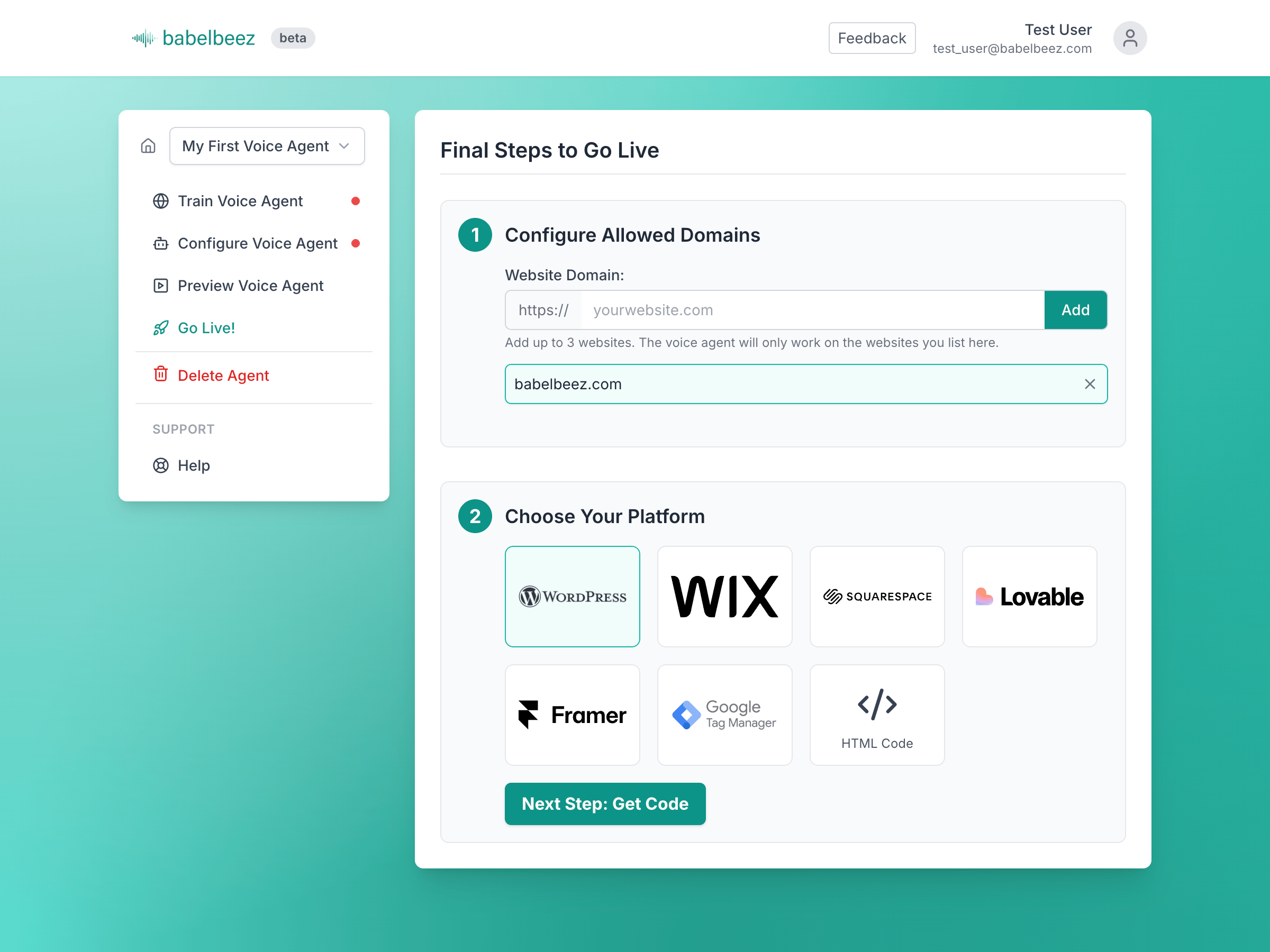
- Install: Click “Install Now” and activate the plugin.
- Connect: Create your account at Babelbeez.com.
- Train: Paste your website URL into the Babelbeez dashboard so the agent can learn your business.
- Connect Calendly: Use the Babelbeez App Directory to connect Calendly for live appointment booking.
- Optional Automations: Add Zapier, Make.com, or webhook workflows for CRM sync and post-call actions.
- Go Live: Choose your voice agent in WordPress and publish it on your site.
Third-Party Services
This plugin is a connector for the Babelbeez service. To provide the voice experience, your site will interact with:
-
Babelbeez (https://www.babelbeez.com): Manages your agent’s knowledge, voice settings, App Directory connections, and integrations. Your API key is sent to this service for authentication. See:
-
OpenAI (https://openai.com): Powers the Realtime audio processing. During a conversation, the real-time audio stream from the user is sent to OpenAI for processing to generate a response.
-
Calendly (https://calendly.com): If you connect Calendly through the Babelbeez App Directory, Babelbeez may interact with Calendly to check availability and book appointments during a conversation, subject to your Calendly configuration and policies.
This plugin stores your Babelbeez API key and selected agent ID in your site’s options table. All conversation processing is handled by the services listed above and is subject to their respective privacy policies.
Review our Terms of Service and Privacy Policy for more details.
Shortcodes
Use the shortcode to embed on specific pages when Load Site-wide is disabled.
Basic:
[babelbeez_voice_ai]
With an explicit agent (overrides the saved selection):
[babelbeez_voice_ai id=”PUBLIC_CHATBOT_ID”]
Screenshots

Installation
- Upload the
babelbeez-voice-aifolder to the/wp-content/plugins/directory, or install through the WordPress “Plugins” screen. - Activate the plugin.
- Go to the new Babelbeez menu in your WordPress admin.
- Paste your API Key from the Babelbeez Dashboard.
- Click the Fetch Voice Agents button.
- Select your desired voice agent from the dropdown list.
- Click Save & Make Live.
FAQ
-
Does this use my OpenAI API Key?
-
No. Babelbeez manages the OpenAI infrastructure and billing on your behalf. You do not need to paste your own OpenAI API key into WordPress.
-
Can Babelbeez handle AI Calendly booking on WordPress?
-
Yes. Once you connect Calendly through the Babelbeez App Directory, the AI voice agent can help a visitor move from asking questions to booking an appointment during the same conversation.
-
Does it natively book Calendly appointments, or is that done through Zapier or Make?
-
Calendly booking is handled natively through the Babelbeez App Directory connection. Zapier and Make.com are better suited for post-call automations such as CRM updates, notifications, and structured outcome workflows.
-
What are Zapier and Make.com used for?
-
They are ideal for what happens after the conversation ends. For example, you can send call summaries, captured contact details, and structured outcomes into HubSpot, Salesforce, Google Sheets, or custom workflows.
-
Is it mobile-friendly?
-
Yes. Babelbeez runs directly in the browser and is designed to work across mobile and desktop devices.
-
What languages does it support?
-
Almost all of them. Babelbeez automatically detects the language the user is speaking and responds accordingly.
-
Is this a WordPress chatbot plugin?
-
Yes, but it is positioned more accurately as an AI voice agent or AI voice receptionist for WordPress. It can answer questions, qualify leads, and trigger actions like Calendly booking.
Reviews

Contributors & Developers
“Babelbeez – AI Voice Agent & AI Calendly Booking” is open source software. The following people have contributed to this plugin.
Contributors
Translate “Babelbeez – AI Voice Agent & AI Calendly Booking” into your language.
Interested in development?
Browse the code, check out the SVN repository, or subscribe to the development log by RSS.
Changelog
1.1.5
- Fix: Updated the plugin admin “Open Dashboard” button to use the new
/v2dashboard entry point. - Tweak: Bumped the plugin version for the dashboard routing update.
1.1.4
- Feature: Added support for Zapier and Make.com integrations.
- Feature: New “Structured Outcome” data extraction—get clean leads, not just transcripts.
- UX: Refined the frontend voice launcher experience for better mobile responsiveness.
- Tweak: Improved the Auto-RAG crawler speed for faster training.
1.1.3
- Confirmed compatibility with WordPress 6.9.
- Improved uninstall cleanup globals naming.
1.1.2
- Admin banner updated to 1544×500 and UI reference updated.
- Readme: improved SEO (5 tags), added FAQs and expanded features.
1.1.1
- Removed discouraged load_plugin_textdomain; rely on WordPress.org auto-loading (WP 4.6+).
- Replaced direct database query in uninstall with get_sites() for multisite cleanup.
1.1.0
- New: One-save setup with “Fetch Voice Agents” logic.
- New: Optional shortcode [babelbeez_voice_ai] for per-page embedding.
- New: Loader script marked
deferfor performance.
1.0.1
- Tweak: Added third-party service disclosure to readme to comply with WordPress.org guidelines.
- Tweak: Renamed main plugin file to match slug
babelbeez-voice-ai.php.
1.0.0
- Initial release.