

Description
ZEISMO Security combines a WordPress firewall, malware scanner, login protection and practical hardening in one local security console.
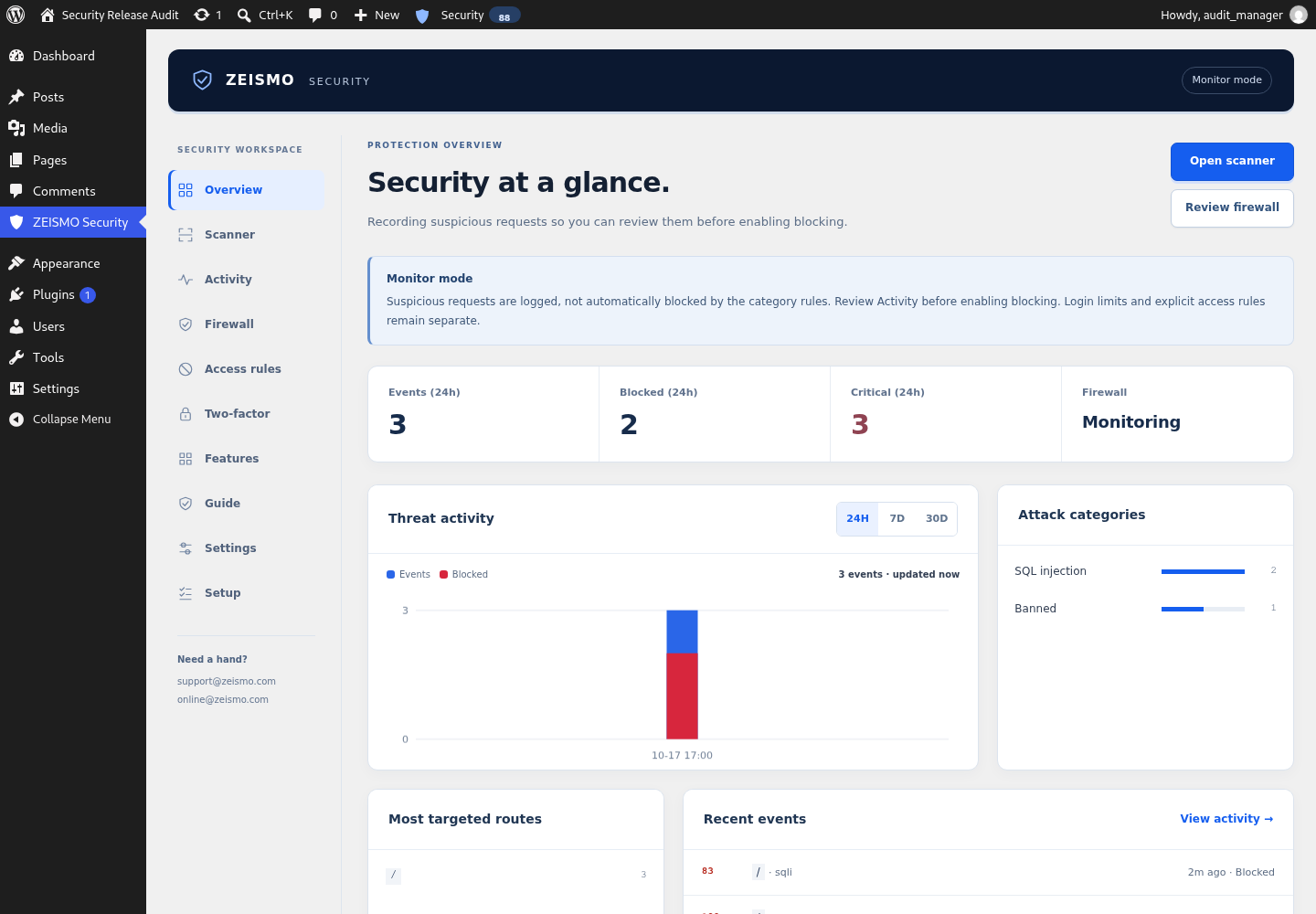
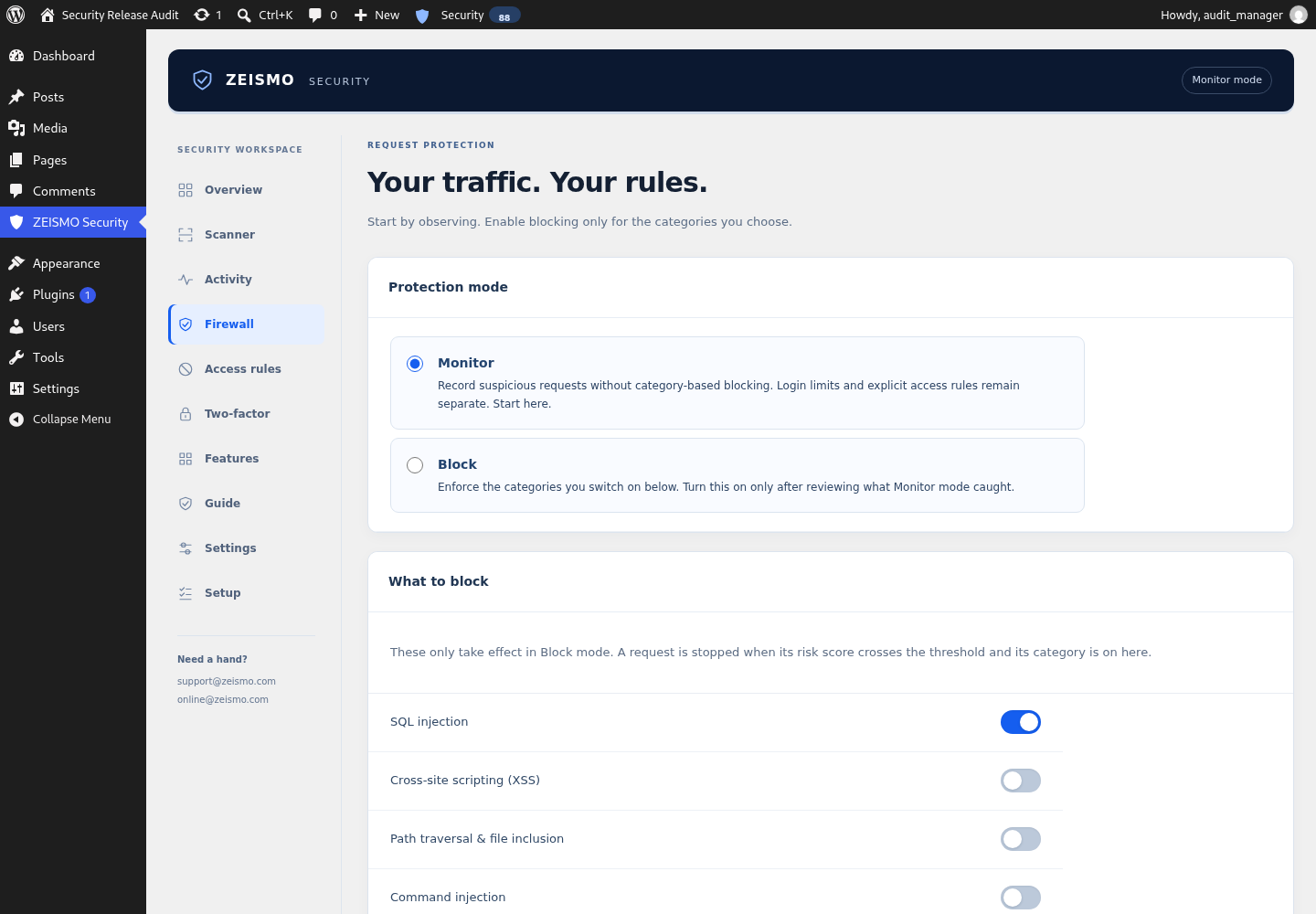
The plugin starts in monitor mode. It inspects suspicious request patterns and records evidence without blocking visitors. After reviewing the activity on your own site, you can enable blocking by attack category.
Included controls
- Request monitoring for SQL injection, cross-site scripting, path traversal, local and remote file inclusion, command injection and scanner patterns.
- A weighted risk score with monitor and block modes.
- Local file-integrity comparisons for supported files in core directories, plugins and themes.
- Local malware pattern scanning with bounded file coverage and scan-limit notices.
- Login attempt limiting and failed-login history.
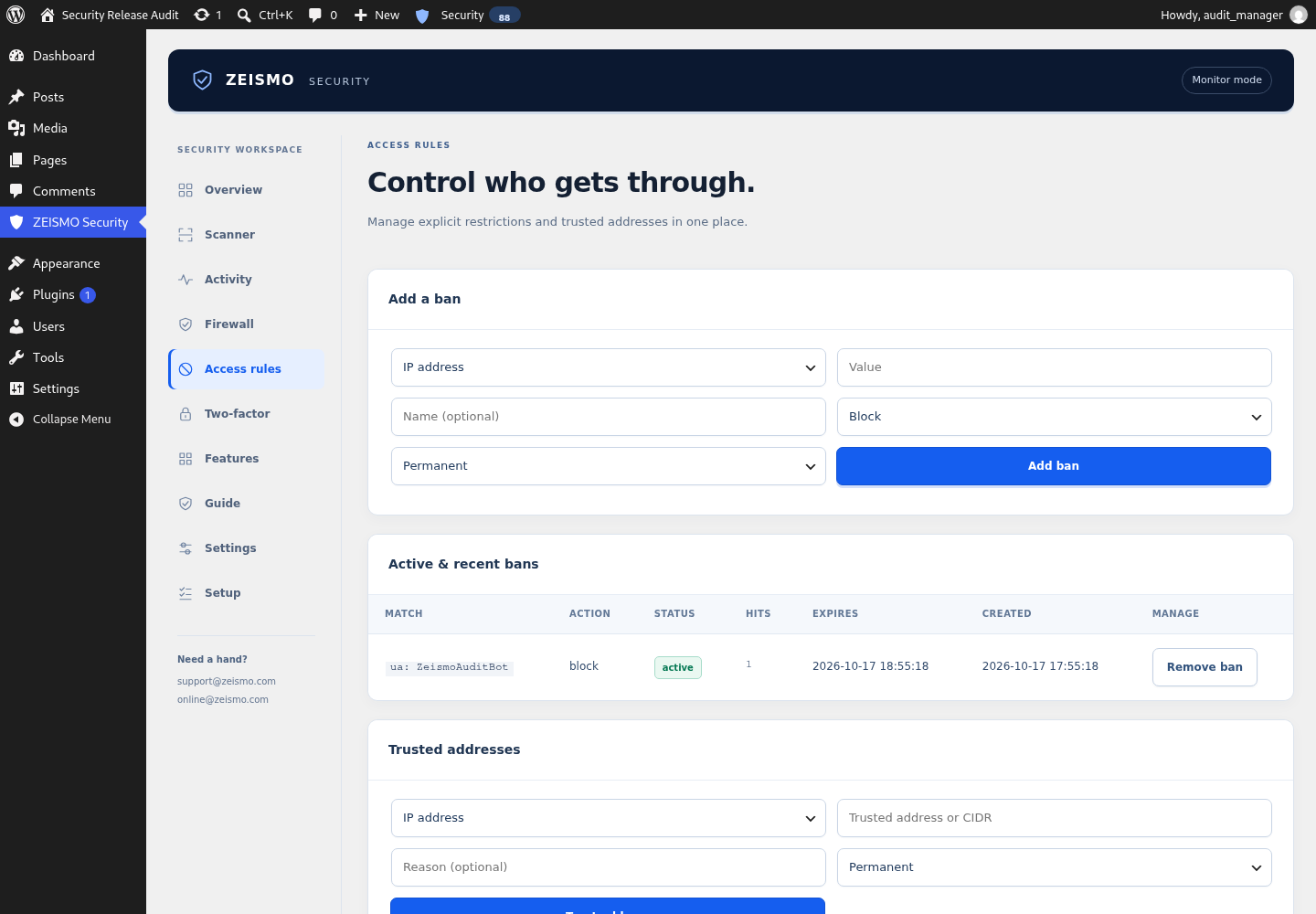
- Temporary and permanent IP bans plus an allowlist.
- Optional XML-RPC blocking, neutral login errors, REST user-enumeration protection and reduced version exposure.
- Optional browser security headers and WordPress file-editor hardening.
- Local threat history, activity summaries and critical-event email alerts.
- A measured configuration score and WordPress toolbar status.
WordPress malware scanning and file integrity
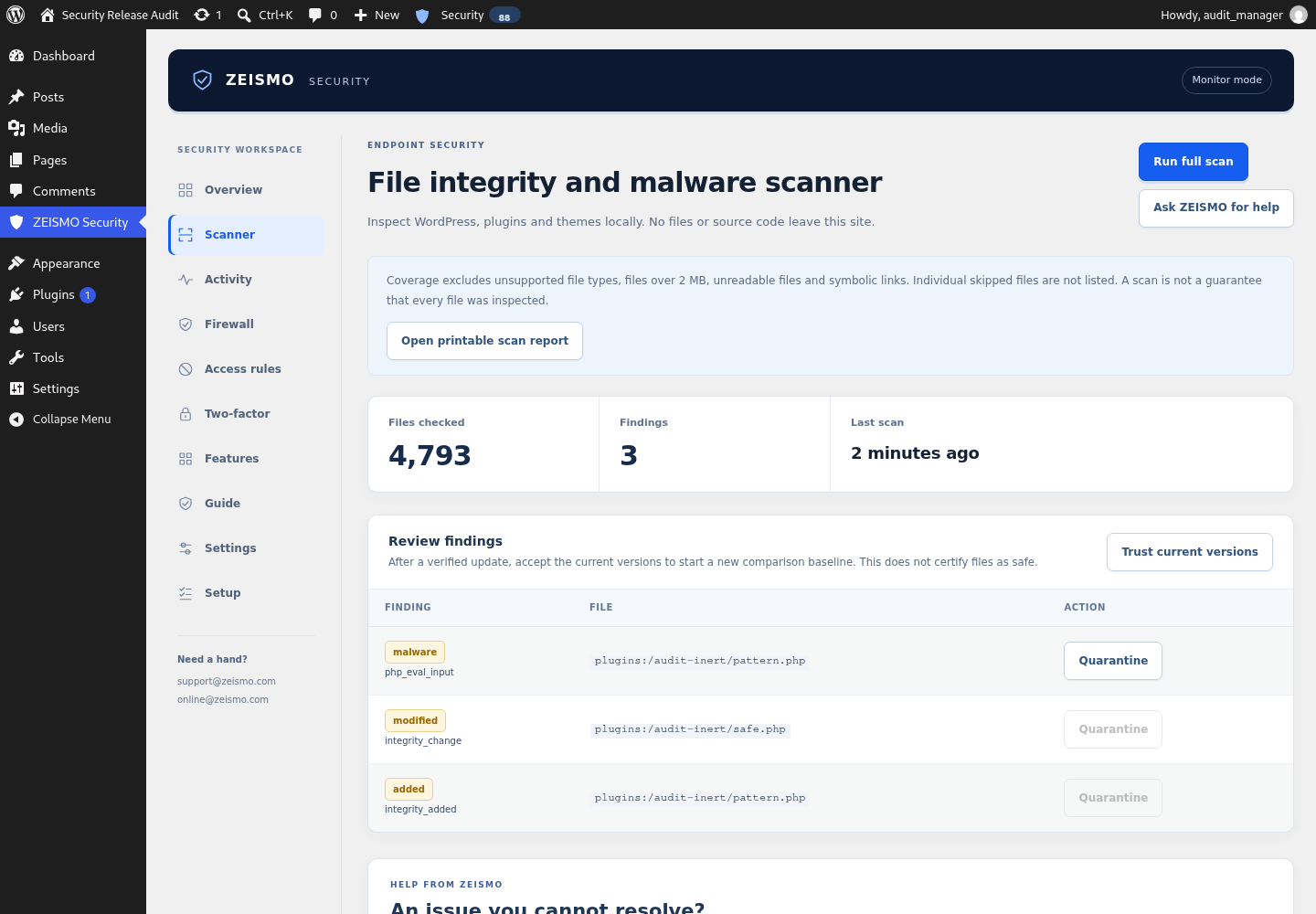
Run a local scan to review suspicious PHP, JavaScript, iframe, redirect and spam patterns in supported files. Integrity checks compare file hashes with a locally recorded baseline to identify additions, modifications and removals. They do not compare every file against an official clean-copy database. Review the site before accepting a new baseline.
Scans cover supported readable files in wp-admin, wp-includes, the plugins directory and the active theme root. Uploads, the database and root-level files are outside these scan roots. Files over 2 MB, unsupported extensions and symbolic links are excluded. A result with no findings is not proof that the entire website is clean.
Guided setup that keeps you in control
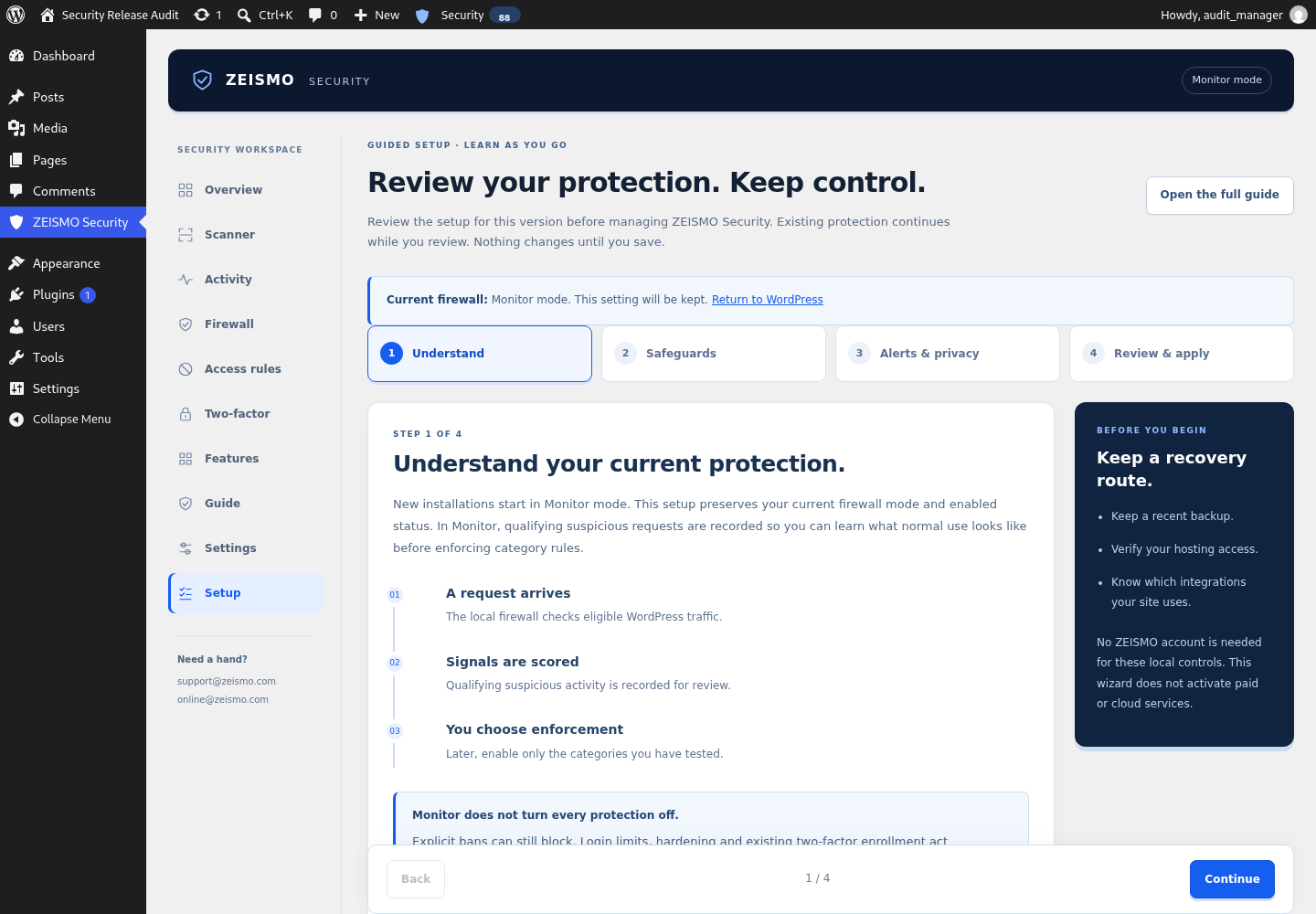
Follow four steps: understand your protection, choose safeguards, select alerts and privacy, then review and apply. New installations start in Monitor. After an update, the next visit to ZEISMO Security requires setup review for that version. Existing firewall mode, enabled status, access rules and two-factor enrollment are preserved. Completing setup opens Overview; other WordPress administration remains available.
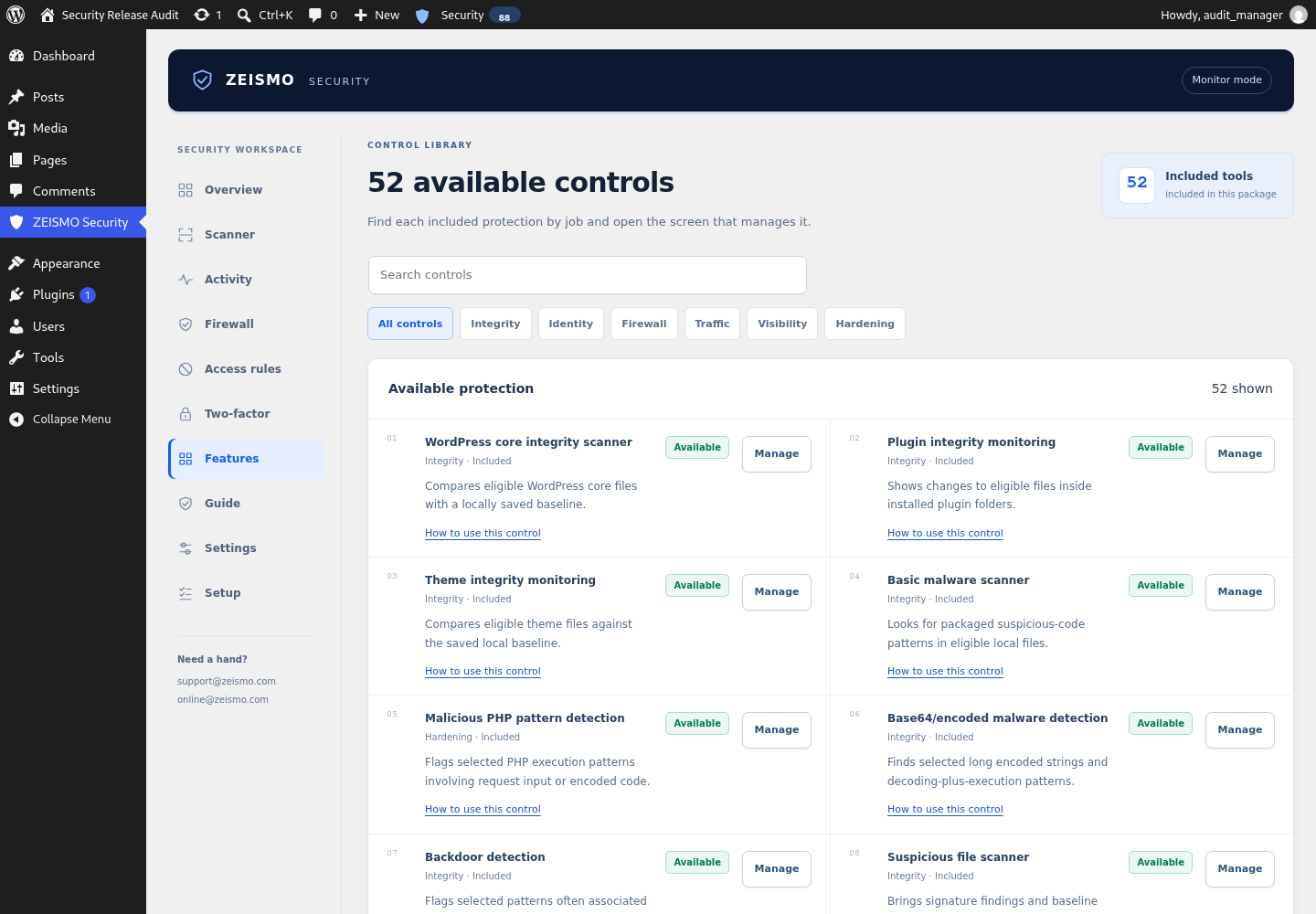
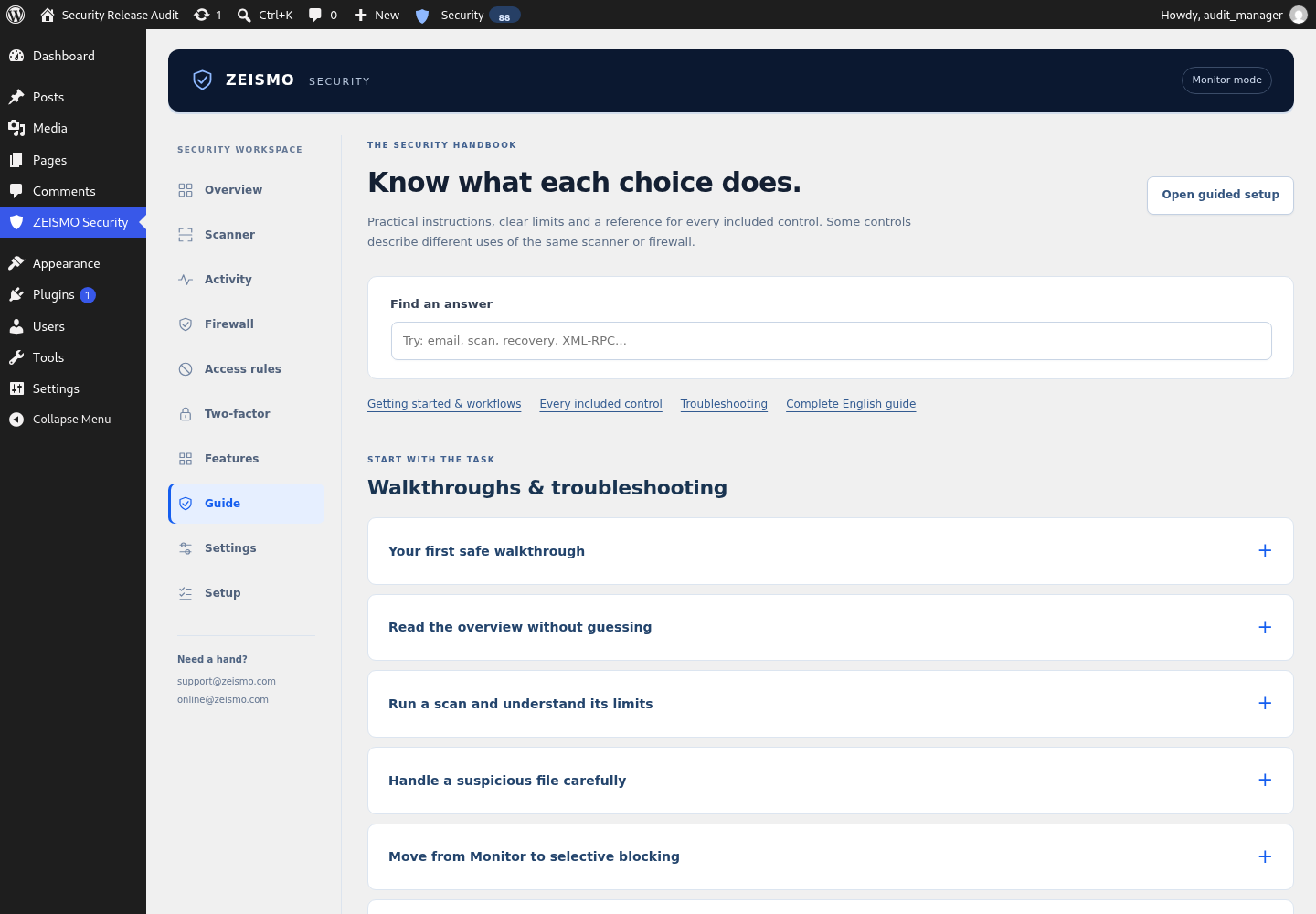
The searchable Guide explains all 52 included control entries, including the cases where several labels use the same scanner or firewall. A complete English handbook is included, with task walkthroughs, compatibility notes and recovery instructions.
Local by design
The WordPress.org edition runs its available security controls on your own WordPress site. No account, licence token or remote ZEISMO service is required for local security controls. Local features in this edition are not restricted by a paid plan.
Blocking is disabled by default. Logged-in editors are excluded from firewall enforcement, and the request filter fails open if it cannot evaluate a request. No security plugin can guarantee that a site will not be compromised.
Read the complete user guide | Product information
A support conversation you can return to
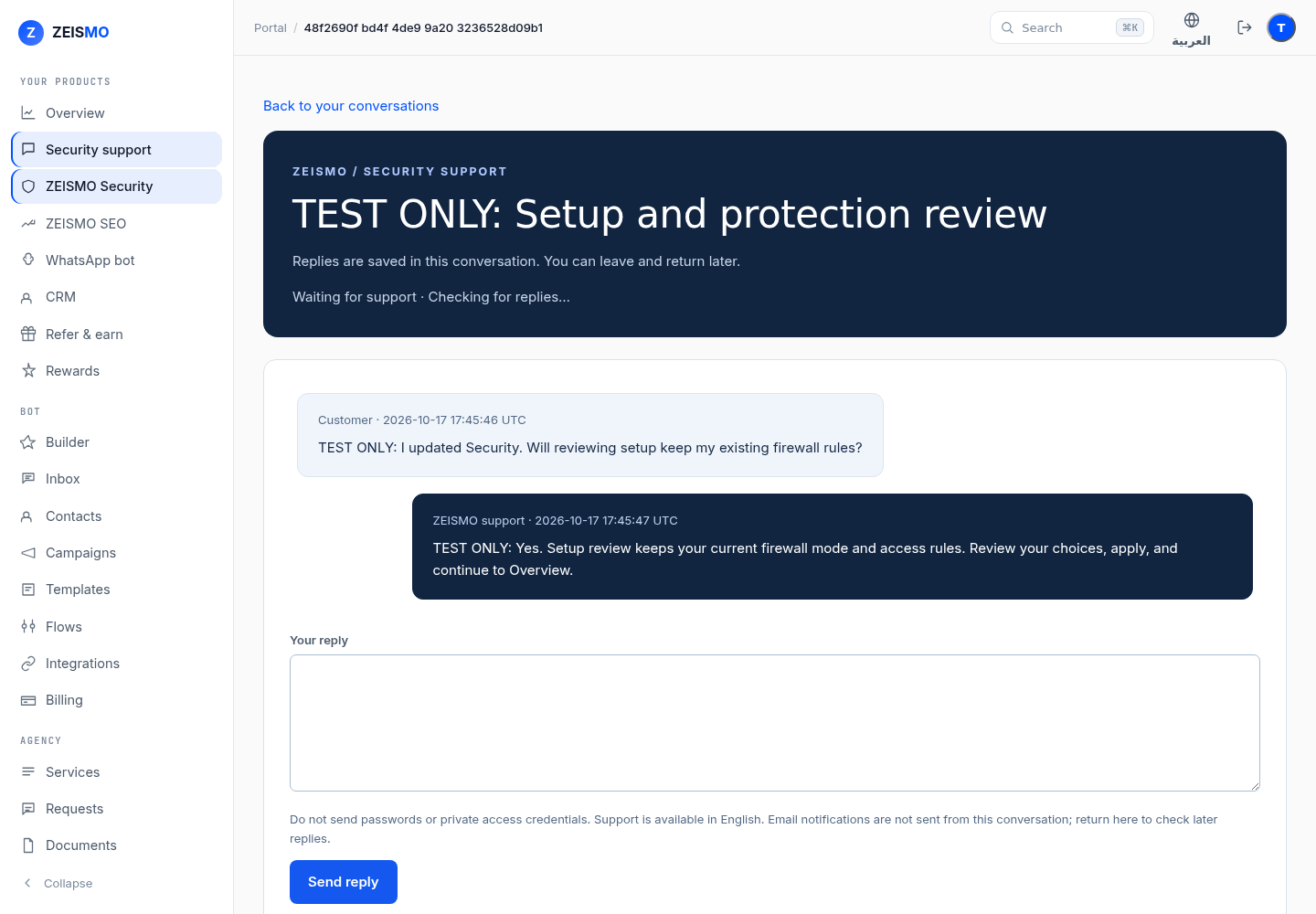
Contact ZEISMO support opens a private conversation on our website. Sign in or create a free ZEISMO account and verify your email, then describe the problem. Support replies refresh while the conversation is open and are saved for later. No paid plan is required for the support conversation. The plugin does not automatically send your site address, files or logs. Email notifications are not automatic; return to the conversation for later replies.
You can also email support@zeismo.com or online@zeismo.com. Do not send passwords, licence tokens, authenticator secrets or recovery codes. Support availability and a fix are not guaranteed by opening a conversation.
Optional separate Content Protection add-on
Security Pro and higher include a separately installed Content Protection add-on, when available. It can discourage ordinary text selection, copying, context menus and image dragging while excluding interactive controls and selected pages. It is not bundled into this WordPress.org package; all local controls in this package remain free. It cannot prevent screenshots, page-source access or determined copying.
Privacy and data handling
This WordPress.org distribution performs its security analysis on the WordPress site where it is installed. The optional support link opens https://app.zeismo.com/portal/security/support only when clicked; your browser contacts ZEISMO, and messages you submit are stored with your ZEISMO account so authorized support staff can respond. No support request is sent automatically. See https://zeismo.com/privacy/ and https://zeismo.com/terms/. The plugin itself does not automatically contact ZEISMO, load remote code, check a ZEISMO licence, send source files to ZEISMO or include a separate updater.
The plugin stores security settings and local security records in the site’s WordPress database. Records can include request paths, browser user-agent strings, usernames used in login attempts, pseudonymous IP hashes and, when enabled, raw IP addresses. Raw IP storage is enabled by default so administrators can investigate and block attacks. Administrators can disable raw IP storage or anonymise logged addresses in Settings.
Security events follow the retention period selected by the administrator. Raw event IP addresses are removed after 90 days even when a longer event-retention period is selected. Optional critical alerts are sent with the site’s configured WordPress mail system and are disabled by default.
Deactivation feedback is optional, stays in the site’s WordPress database and is not sent to ZEISMO. Deactivating or deleting the plugin preserves settings and security records so an administrator does not lose incident evidence. Site owners who want to remove that data can delete the zeismo_security_settings, zeismo_sec_db_version, zeismo_sec_setup_complete, zeismo_sec_setup_review_version, zeismo_sec_setup_result and zeismo_sec_deactivation_feedback options and the database tables whose names begin with their WordPress table prefix followed by zeismo_sec_.
Administrator and security-change alerts
In Settings > Alerts, choose a notification email and opt in to administrator and security-setting changes. Notices cover administrator creation or promotion, selected firewall and login controls, notification settings, and two-factor enable/disable/recovery replacement. They include the site, UTC time and user IDs, never passwords, authenticator keys, recovery codes or account email addresses.
Change notices are disabled by default. They use your site’s WordPress mail system, with a maximum of ten attempts per clock hour and five-minute duplicate suppression. Failed or uncertain attempts are not automatically retried. Settings show the last accepted, failed or suppressed state; acceptance by the mail system does not confirm inbox delivery. A notice goes to the previously opted-in recipient when alerts are disabled or redirected, subject to those limits. This does not detect every security change, plugin deactivation or direct database edits and is not a replacement for independent monitoring.
The local zeismo_sec_change_alert_budget option holds bounded hashed deduplication records and counters. zeismo_sec_change_alert_status holds the last attempt time and state. These options are preserved on deactivation/deletion with the existing security settings; site owners may remove them through authenticated host access. Your chosen mail provider processes the notification contents.
Two-factor authentication
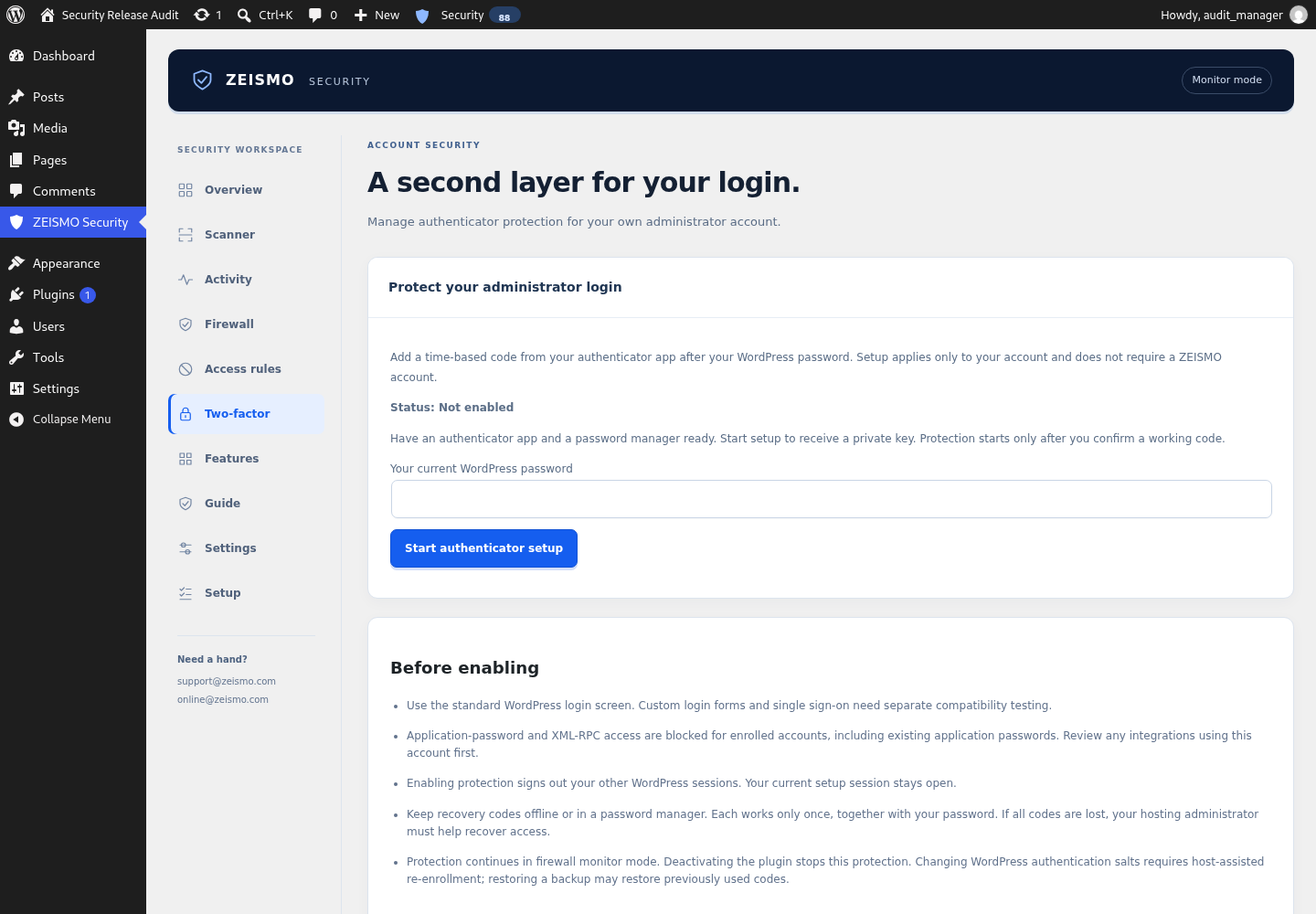
On a single-site HTTPS installation, open ZEISMO Security > Two-factor as an administrator. Enter your current WordPress password to start. Add the displayed private key to a TOTP authenticator app using manual entry (6 digits, 30 seconds, SHA-1). Confirm a working code within 10 minutes, then save the ten recovery codes in a password manager. Codes are shown only once. Each recovery code works once with your WordPress password.
Enrollment applies only to your account. Your other WordPress sessions are signed out. Subsequent standard WordPress logins require your password plus a fresh authenticator or unused recovery code. Five incorrect codes trigger a five-minute account limit; existing login limits can also apply. Settings changes require your current password and a fresh code. Replacing recovery codes invalidates all earlier codes.
Application-password and XML-RPC access are blocked for enrolled accounts, including previously created application passwords. Review integrations first. Custom login forms, SSO and multisite are not supported by this enrollment flow. This is optional per-account protection, not an enforced sitewide policy. It continues while the firewall is in monitor mode, but stops if the plugin is deactivated.
Setup secrets are encrypted using OpenSSL AES-256-GCM with a key derived from WordPress authentication salts and the user ID. Only keyed hashes of recovery codes are stored. State stays in non-autoloaded local options named zeismo_sec_mfa_USER_ID, with timestamps and attempt counters; no external service receives it. Deactivation and deletion preserve enrollment; deleting the WordPress user removes that user’s state. Changing authentication salts requires re-enrollment. Database backups can restore old codes, so replace recovery codes after a restore.
If the authenticator and all recovery codes are lost, contact the hosting administrator. With authenticated host access and the correct WordPress installation selected, identify the affected user using WP-CLI, then delete only that user’s zeismo_sec_mfa_USER_ID option. This removes their second-factor requirement; verify the account owner’s identity, reset a compromised password, and enroll again immediately. Never accept a public URL or email request alone as authorization for host recovery. There is no public recovery bypass.
Development and source code
All PHP, JavaScript and CSS source is included in this plugin package. The
files in admin/js/ and admin/css/ are the actual readable source used by
WordPress, including admin/js/deactivation.js, admin/css/deactivation.css
and admin/css/toolbar.css. No compilation, minification, npm, Composer or
other build step is required. Edit the bundled source files directly and
test on a development WordPress installation before distributing changes.
This package does not bundle compressed third-party JavaScript libraries.
Request inspection limits
Request-field inspection is capped at eight nested array levels, 256 visited entries across GET and POST, 4,000 bytes per value and 65,536 combined field-name/value bytes. Field names longer than 128 bytes or combined paths longer than 256 bytes are skipped. The request URI has a separate 8,192-byte cap. Sensitive fields are excluded. Inputs beyond these inspection budgets are not examined; reaching a limit does not reject the request. These limits bound plugin inspection work, not PHP request parsing or all denial-of-service traffic.
User handbook
Open ZEISMO Security > Guide for searchable explanations, walkthroughs and troubleshooting. Every included control links to its guide entry. A complete offline/printable handbook is included at docs/security-guide.html. Setup choices are saved only when you choose Apply my choices. Content Protection is a separate optional add-on, not bundled or activated by this package.
Screenshots
Installation
- Back up your site, then install the ZEISMO Security ZIP through Plugins > Add New > Upload Plugin and activate it.
- Open ZEISMO Security > Setup.
- Keep monitor mode enabled while you review the first events and scanner results.
- Open Firewall when you are ready to enable blocking for selected attack categories.
- Review Settings for IP retention, trusted-proxy configuration, login protection, hardening and alerts.
- Test visitor login, forms and any checkout or REST integrations after each enforcement change. If legitimate traffic is affected, return to monitor mode and review the matching event.
- Review events and scan results regularly, keep WordPress updated and maintain independent backups.
For sites behind a trusted reverse proxy, define ZEISMO_SEC_TRUSTED_PROXIES in wp-config.php with the actual proxy IP addresses or CIDR ranges before selecting a forwarded-address mode.
Quarantine is available only when ZEISMO_SEC_QUARANTINE_DIR points to an existing private writable directory outside all public document roots. Review findings and keep backups before moving files.
FAQ
-
Will ZEISMO Security block visitors immediately?
-
No. A new installation starts in monitor mode. Blocking must be enabled deliberately by an administrator.
-
Does the plugin send my files or traffic to ZEISMO?
-
No files or traffic are sent automatically. Local controls run on your site. If you choose Contact ZEISMO support, your browser opens our website and any message you submit is stored with your account.
-
Is every scanner finding malware?
-
No. A finding is a pattern match or an integrity change that needs review. Scan-limit and root traversal errors are reported. Unsupported file types, files over 2 MB, unreadable files and symbolic links are excluded; individual skipped files are not listed. Accepting an integrity baseline does not certify files as safe.
-
Do I need an account or paid plan?
-
No. The local controls in this WordPress.org edition work without a ZEISMO account, licence key or paid plan.
-
Does this edition use cloud AI or automatically remove malware?
-
No. This edition uses local request rules, file patterns and baseline comparisons. It does not send files to a cloud AI service or provide automatic malware cleanup. Review findings before taking action.
-
Will it replace hosting security, backups or a network firewall?
-
No. It is a WordPress application-level tool. It does not filter traffic before it reaches your server, cover every attack or replace backups, updates and hosting-level protections.
-
Does deleting the plugin delete security records?
-
No. Settings and records are preserved to avoid destroying incident evidence. The Privacy and data handling section identifies the options and table prefix for administrators who decide to remove them manually.
-
Can I use forwarded client IP headers?
-
Yes, after a server administrator defines
ZEISMO_SEC_TRUSTED_PROXIES. Merely selecting a proxy mode does not trust arbitrary forwarded headers.

Contributors & Developers
“ZEISMO Security – Firewall, Malware Scanner & Login Protection” is open source software. The following people have contributed to this plugin.
Contributors
Translate “ZEISMO Security – Firewall, Malware Scanner & Login Protection” into your language.
Interested in development?
Browse the code, check out the SVN repository, or subscribe to the development log by RSS.
Changelog
1.2.0
- Require setup review on first plugin visit after each update, preserving existing firewall state and returning to Overview after completion.
- Open a private support conversation with saved replies from the support button; no automatic site data upload.
- Add complete English feature-reference documentation, task walkthroughs and authentic screenshots.
- Add confirmed, permission-checked removal of bans and trusted addresses, with an audit entry and immediate effect.
- Correct event grouping, IPv6 masking, daily chart counters and quarantine confirmation.
- Keep both ZEISMO support email addresses available alongside saved account conversations.
- Add a searchable handbook explaining every included control, with use cases, limits and troubleshooting.
- Add a four-step setup tutorial with selectable safeguards, alerts/privacy choices, review before applying and a post-setup checklist.
- Include a complete printable handbook in docs/security-guide.html.
- Correct management links and privacy wording; hide unsupported country/score ban choices from new-rule entry.
- Redesigned security workspace, navigation, setup, controls, reports and responsive layouts.
- Clarified available controls and disabled firewall states.
1.1.0
- Add optional administrator and security-change email alerts with bounded sending and visible mail status.
- Add optional administrator authenticator codes and one-use recovery codes, with confirmed setup, encrypted local storage and replay/attempt protection.
-
Print private scan reports with coverage notes.
-
Keep the baseline and suppress false deletions on incomplete scans. Explain unsuccessful baseline refreshes.
1.0.0
- Initial WordPress.org release.
- Added local request monitoring and optional category-based firewall blocking.
- Added integrity and malware pattern scanning.
- Added login protection, hardening, ban, allowlist, alert and local activity tools.
- Added measured configuration status and accessible administration workflows.